
Published 2026-10-07 · DIYCarPlay Engineering Team
How to Add CarPlay to a Mercedes GLA X156 Without Replacing the Factory Screen
Yes — a plug-and-play decoder module adds wireless CarPlay to a Mercedes GLA X156 built between 2014 and 2020 while keeping the factory screen, centre console controller, steering-wheel buttons and reversing camera. No coding, no screen replacement.
The GLA X156 is Mercedes-Benz' compact crossover, built on the company's front-drive MFA architecture and shared with the A-Class and the CLA. Across its 2014 to 2020 model years it shipped with two substantially different infotainment setups, and that split is what decides which module a given car needs.
Early cars carry Audio 20 / NTG4.5 with a 5.8-inch screen and a rotary controller on the centre console. Facelift cars from 2016 onward received a larger 7-inch screen, a touchpad instead of a knob, and the NTG5 family of head units. The second generation GLA, coded H247, arrived on the newer MFA2 platform with the MBUX interface and is a separate fitment question again.
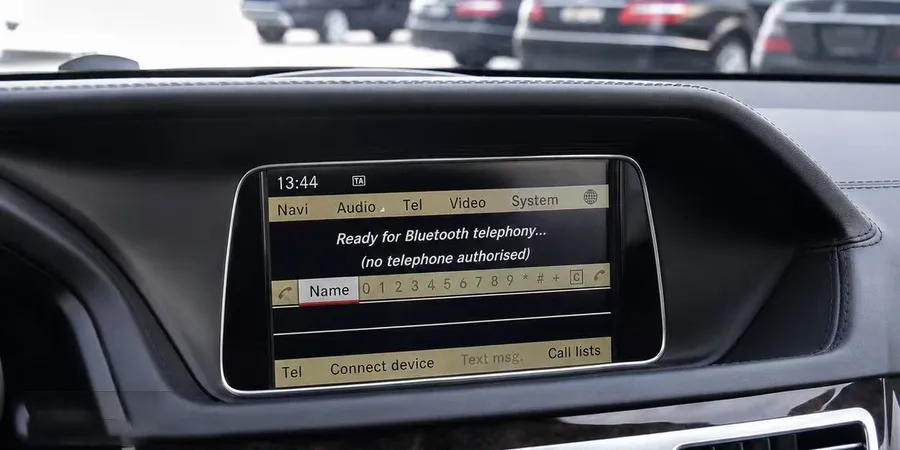
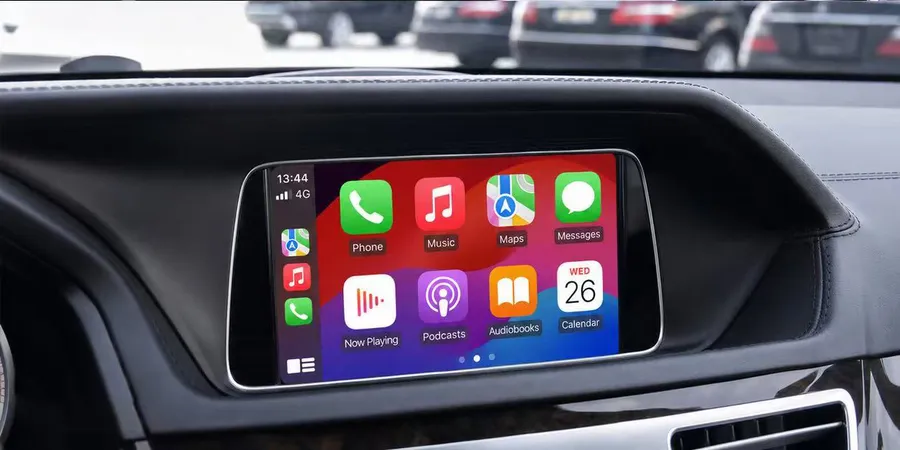
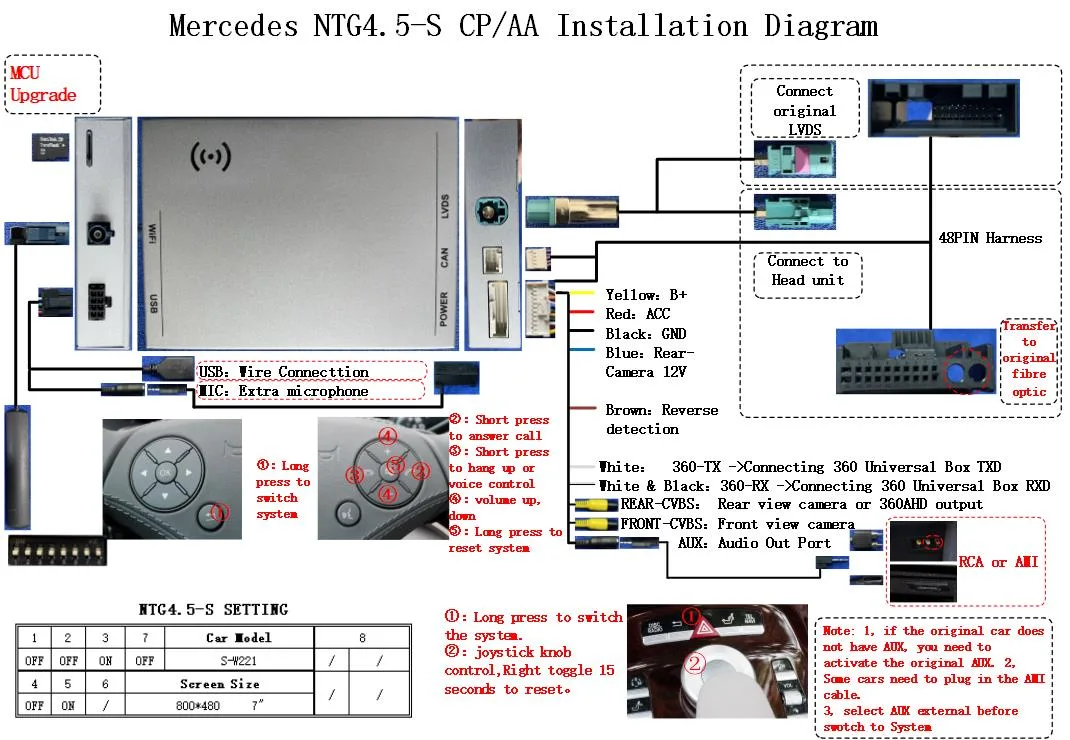
Why the GLA is a straightforward car to retrofit
The GLA X156 is one of the cleaner cases in the category because the head unit is a conventional single-screen design with a normal dashboard connector behind it. There is no screen bonded under glass, no integrated cluster to defeat, and no separate climate-control strip sharing the display. The module plugs into the factory harness behind the centre console and the display stays where the car delivered it.
What the driver keeps is the part that matters day to day. The factory screen remains in the car at its native resolution. The centre console controller — rotary on early cars, touchpad on facelift cars — stays connected on its own branch of the wiring and scrolls and selects as before. The steering-wheel volume and track buttons continue to work inside CarPlay. The factory reversing camera still appears when reverse is selected, and the parking distance sensors behave exactly as they did.
| Function | After a non-coding GLA retrofit |
|---|---|
| Display | Original 5.8-inch or 7-inch panel, native resolution |
| Factory Mercedes menu | Fully reachable, switched in and out with a button hold |
| Centre console controller | Rotary or touchpad, unchanged |
| Steering-wheel buttons | Volume and track operate inside CarPlay |
| Reversing camera | Factory camera still displays |
| Parking sensors | Unaffected |
The distinction that decides fitment is the head unit, not the model year. Mercedes phased the Audio 20 to NTG5 changeover across overlapping model years, so two GLA cars of similar apparent age can carry different electronics. Identifying the unit first is the whole decision; the rest is installation.
How to identify which system a GLA has
Three checks settle it without any tools. First, the screen: the early unit is a 5.8-inch display sitting in a recessed bezel, while the facelift unit is a 7-inch display sitting flush in a gloss-black surround. Second, the controller: early cars have a rotary knob with directional presses on the centre console, facelift cars have a rectangular touchpad with a physical home button. Third, the menu layout — the earlier interface uses a horizontal row of large icons along the bottom, the later one uses a tile grid.
This matters more on the GLA than on some other models because the facelift generation may already carry smartphone integration, depending on specification and market. A car with the later head unit could have working phone connectivity from the factory, in which case a retrofit is the wrong purchase. The vehicle fitment finder confirms which case applies before anything is ordered, and the Mercedes-Benz fitment page lists each module against the model lines it covers.
Where the wireless link actually fails, and why the band matters
Wireless CarPlay is a continuous video transfer from the phone to the display, and it competes for spectrum with every other device nearby. The failure mode is rarely dramatic. The picture looks sharp in the driveway and at home, then starts stuttering in a multi-storey car park or a city centre where dozens of access points and phone hotspots share the same channels.
This is why the band designation on a module means more than a spec-sheet line. The 2.4GHz band reaches further but is crowded and more prone to interference. The 5GHz band carries substantially more bandwidth with far less contention, which is what a high-definition video stream actually needs. Dual-band WiFi using 2.4GHz and 5GHz together allows the connection to use the cleaner band when conditions allow and fall back when they do not, which is why connectivity is verified in enclosed structures before shipment rather than only on an open road.
The result in practice is a stable picture and audio that starts immediately after pairing, rather than an intermittently legible one that forces the driver back to the factory system. Apple sets out the current connection requirements in its CarPlay support documentation, which is worth reading before buying, because wireless and wired support are separately specified.
Why the module runs Linux on automotive-grade silicon
The operating system is not a detail buyers usually weigh, and it is the one that determines how the car feels after a year of daily use.
A general-purpose operating system designed for applications brings background processes, and background processes accumulate. Cached data builds up over time until responsiveness depends on how much has been installed and used. That is a characteristic of the platform class, not a defect in any particular product, and it is the reason some aftermarket screens feel slower after months than they did on the first day.
These modules run Linux in an embedded configuration instead — a fixed, purpose-built system with no application layer and no cache growth of that kind. Smoothness is not a consequence of allocating more resources, because the product is not built that way. It comes from the hardware doing the work, which is why an automotive-grade Sunplus chipset is specified for the decode, the Bluetooth audio routing and the CAN-BUS traffic behind the interface.
This is also why premium factory systems from Mercedes, BMW and Audi stay fluid after years of service: their infotainment computers are fundamentally Linux machines, so a fixed embedded Linux system belongs to the same class rather than being an unusual choice. The Linux entry on Wikipedia covers the technical background.
How the installation works on a GLA X156
The installation is a physical connection plus a pairing step. There is no diagnostic coding, no software flashing and no cutting of factory wiring.
On the X156 the centre console trim is released and the head unit is reached from behind the dashboard. Two Torx T20 screws retain the display bracket on most variants. The harness connects to the factory connector behind the head unit, the module negotiates with the car's own systems over the vehicle CAN-BUS, and the trim clips back on without modification, which is why no panel is ever damaged. The audio path uses the vehicle's existing amplifier input rather than bypassing the factory sound system, so the standard Mercedes sound system plays CarPlay audio through the original speakers.
Once the car is switched on, the head unit detects the module and the phone pairs from the CarPlay menu as it would in any modern car. After the first pairing the connection is automatic on entry. Switching between CarPlay and the factory Mercedes system uses the car's own controls — a button hold on the centre console or steering wheel — so both systems remain available at all times.
Drivers regularly ask about warranty. The practical position is that the vehicle's own systems remain in use and no factory component is removed or modified, but for a specific vehicle under a specific warranty period it is worth confirming with the dealer before fitting any accessory. It is possible to state exactly what is and is not touched; that decision belongs to the owner.
Buying more than one car: the commercial terms
A single owner needs a module and an installation. A workshop or distributor is buying stock, and the terms differ.
Stock modules start at 10 pcs with mixed models allowed in a single order. Private label starts at 500 pcs per model, and full OEM firmware customisation at 1000 pcs per model. Samples take 7 to 15 days by DHL or FedEx; volume production runs 15 to 20 days once payment has cleared. Quotations are returned within 12 hours. Coverage extends across 300+ vehicle models & series, so a distributor covering several marques can consolidate platforms in one order rather than dealing with a separate supplier for each.
Payment is 30% deposit with the balance against a copy of the bill of lading, settled by T/T or PayPal. Sample cost is credited against the first large-volume order. The wholesale terms page sets out the same structure in full, and the Mercedes NTG upgrade guide covers how the generations differ across the wider model range.
Common questions
Is every Mercedes GLA eligible for a CarPlay retrofit?
First generation X156 cars from 2014 to 2020 are covered across the Audio 20 and NTG5 head unit variants. Facelift cars may already offer smartphone integration from the factory depending on specification and market, so the generation should be confirmed before ordering. The second generation H247 is a different platform with a narrower fitment.
Does the retrofit keep the reversing camera working?
Yes. The factory camera continues to display as it did before, because the original display and head unit remain in the vehicle and the camera signal still reaches them. Parking distance sensors are unaffected.
Does the centre console controller still work?
Yes. Early GLA cars keep the rotary controller and facelift cars keep the touchpad. Both stay connected on their own wiring branch and operate the menus as the car delivered them.
Does the installation require coding or diagnostic programming?
No. Installation is a physical connection to the factory harness plus a pairing procedure on the car side. Nothing on the vehicle is reprogrammed.
Will the factory Mercedes navigation still be available?
Yes. The original system remains reachable at any time, and switching between it and CarPlay uses the car's own controls.
Can the module be removed if the car is sold?
Yes. The connection is made through the factory harness connector, so the module can be unplugged and the original system left exactly as it was.
Check whether your GLA is eligible
The fastest way to confirm fitment is to check the screen size and the controller type on the car, then run it through the vehicle fitment finder. Where a sample makes sense, request one and verify the six functions listed above on the car that will actually carry the module.
If a first order covers several vehicles rather than one, send the target vehicle list and quantities through the same form and the quotation will name which platform each module covers, along with volume tiers and lead times.
Need the Module From This Guide?
Wholesale from 10 pcs (mixed models OK), samples in 7–15 days (DHL/FedEx express). Fitment confirmation within 12 hours.
Request Pricing Check FitmentRelated Resources
- CarPlay Collections — browse by marque family (German, British, Italian, Japanese, luxury)
- CarPlay Fitment Checker — find the module for your car
- CarPlay Decoder FAQ — 34 answers on compatibility, install and wholesale
- CarPlay Retrofit Buying Guide — platform identification & selection
- Wholesale, Private Label & OEM Program — MOQ, lead times, payment terms
- All installation & technical guides