
Published 2026-10-20 · DIYCarPlay Engineering Team · 11 min read
Whose Fault Is It? Triaging a CarPlay Retrofit Complaint Between the Module and the Phone
A wireless CarPlay retrofit module is usually described as if it were the whole product. In practice it is the bridge rather than the destination. The head unit stays in the car, the original screen stays lit, the steering wheel buttons and the factory reversing camera keep working, and the module contributes one thing: a 5GHz dual-band WiFi and Bluetooth link to a phone the driver already owns. That division of labour decides where a fault lives, and it is the most useful thing a distributor can tell an installer before a module goes into a car.
The reason is documented by Apple itself. In its developer material on the CarPlay system, the vehicle declares the physical size and resolution of the display, and the iPhone sets up an H.264 video stream of that size which the head unit then renders. The CarPlay article on Wikipedia states the same division plainly: most CarPlay software runs on the connected iPhone, and the vehicle acts as a display and a controller. The radio inside the module carries that stream across the cabin. It does not run the applications, and it cannot repair a phone that has misconfigured its own radios.
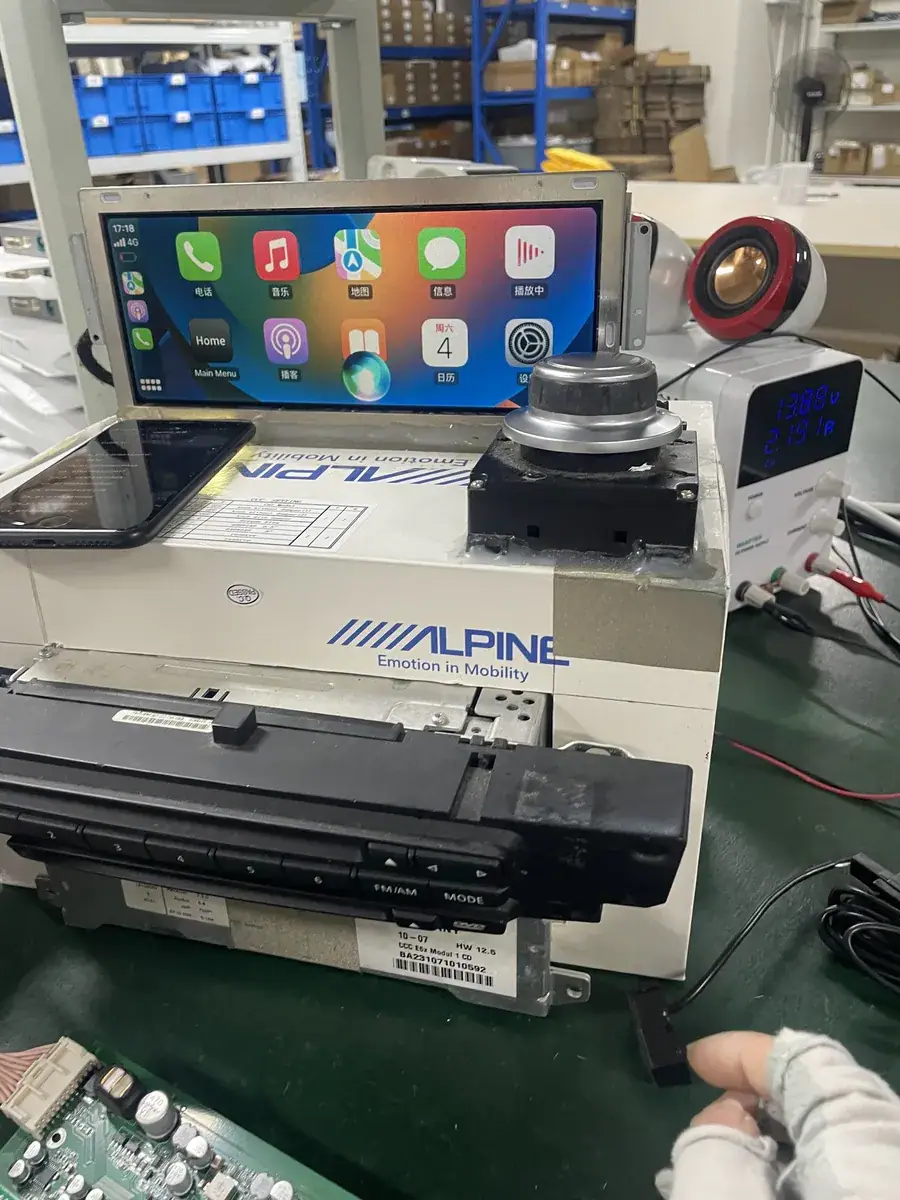
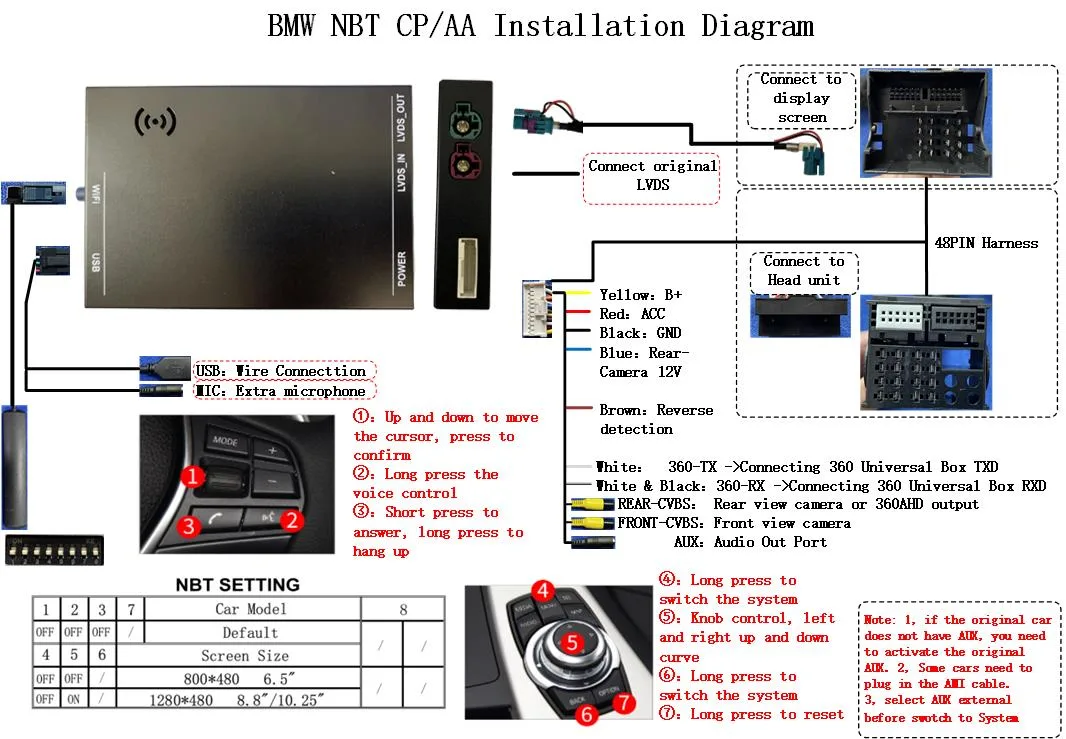
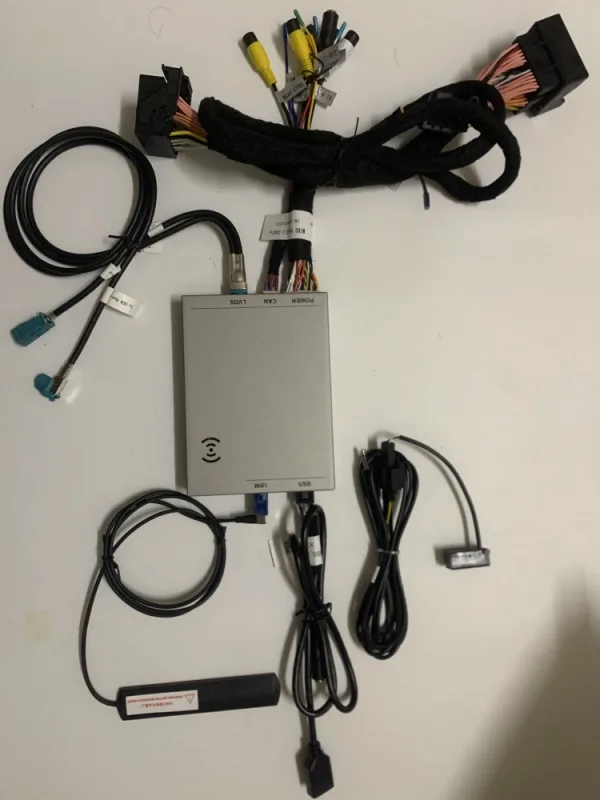
What the module controls, and what it does not
Sorting the two halves is the first job at the counter. A distributor who knows which functions live in the module and which live in the phone can answer a customer question in a sentence instead of escalating it to a technician, and can refuse a return that the hardware never caused.
| Function | Where it lives | Consequence for a fault |
|---|---|---|
| Bluetooth discovery and credential exchange | Module radio plus the phone's Bluetooth stack | Split responsibility; both ends must be healthy |
| 5GHz WiFi session and video transport | Module radio and the phone's WiFi radio | Antenna routing and band congestion decide stability |
| Display, touch input, H.264 rendering | Phone, decoded by the head unit | A slow phone shows a slow interface |
| Navigation, music, messages, call audio | Phone applications | Module firmware cannot add an application |
| Audio output to the factory amplifier | Module routing plus the car audio system | Silent CarPlay is usually a routing question |
| Reverse trigger and camera feed | Module harness and the factory camera | Entirely on the vehicle side of the installation |
| Steering wheel buttons and instrument cluster | Original car hardware, left in service | Nothing in the retrofit path touches them |
| App availability, live traffic, streaming | Phone, on the phone's own cellular connection | Coverage in the driver's area decides it |
Two things on that list deserve emphasis for buyers. First, the reversing camera path never touches the phone at all: the reverse trigger, the camera supply and the video hand-off are all handled in the harness, so a missing camera image is a vehicle-side fault and not a pairing fault. Second, the cluster and the original hard keys are left exactly as the car was built. The retrofit adds a function without removing one, which is why the factory screen, the original head unit, the steering wheel controls and the factory reversing camera all remain in daily use after an installation.
The customer-side checklist that decides whether a session starts
Apple publishes the customer-side sequence in plain language, and it is worth reading as an installation checklist rather than as end-user help. The Apple support page on using CarPlay with an iPhone describes a setup that begins with the vehicle running and Siri switched on. The stereo is put into wireless or Bluetooth mode, the voice command button on the steering wheel is pressed and held, and on the phone the WiFi radio is confirmed on, the CarPlay network is opened from the WiFi list, Auto-Join is confirmed active, and the vehicle is then selected under General, CarPlay.
Apple's own troubleshooting list adds the four items that installers see most often. The phone should be on the current iOS release. The phone and the vehicle should both be restarted. Screen Time restrictions should be checked, because a device with CarPlay blocked under Content and Privacy Restrictions will not present the vehicle at all. And a stale pairing record should be cleared with Ignore This Car, followed by a fresh setup, which is the standard remedy after a major iOS update.
None of these steps is exotic, and all of them are things a driver can change after the car leaves the workshop. That is the point worth passing to a buyer: the handover conversation is not a formality, it is the last opportunity to confirm that the customer's own phone behaves the way the installation requires. A short check at the counter, on the customer's phone, with the vehicle running, prevents the majority of the returns that a distributor would otherwise absorb as warranty claims.
Fault triage: which side owns the symptom
The table below is the practical output of that split. It is built from the behaviour Apple documents on the phone side, and from the vehicle-side checks that come with the module: harness seating, CAN wake-up, reverse trigger and camera supply, and the audio route into the factory amplifier.
| Symptom | First check | Owner of the fault |
|---|---|---|
| Vehicle does not appear under General, CarPlay on the phone | Screen Time restriction on CarPlay, iOS release, regional availability | Phone |
| No pairing request after the voice button is held | Module powered, CAN wake-up reached, harness fully seated | Module |
| Pairs, then drops after a minute or so | Antenna routing, band congestion, ignition sleep timing | Module |
| Picture on the factory screen, no sound | Audio route into the factory amplifier, phone media output | Usually the module side |
| Screen works, voice assistant answers, calls are silent | Phone audio output and its Bluetooth calling profile | Phone |
| Worked on the bench, fails on the road | Antenna placement inside a sealed cabin | Module |
| Stopped pairing after an iOS update | Ignore This Car, Auto-Join, then pair again | Phone |
| Reversing camera image missing | Reverse trigger, camera 12V supply, video hand-off | Module |
Reading this table correctly protects margin. A module that pairs on the workshop bench and drops on the road is an installation and antenna question, and a different module is not the answer. A phone that stopped pairing after an iOS update is a five-minute settings fix, and a credit note is not the answer either. Distinguishing the two before shipping anything back is cheaper than either outcome.
One case is worth calling out because it is genuinely confusing. When a session drops repeatedly, the instinct is to blame the radio, and the radio is sometimes the cause. But a phone that is simultaneously connected to a different Bluetooth device, a hotspot, or a home WiFi network will hold the CarPlay session in a state where the picture appears and the stream stalls, because the phone's WiFi radio is shared between them. The phone-side equivalent of a wiring fault is a phone that is trying to serve two networks at once.
Where the module's own hardware has to hold up
Once the phone side is settled, the module still has to carry the link, decode the incoming stream onto the factory display, hand audio to the original amplifier, and wake up when the car is switched on. That is where the engineering choices matter, and it is the part a supplier's datasheet usually describes least clearly.
The operating system is Linux in an embedded configuration, running on an automotive-grade chipset from Sunplus. Fluency on that platform comes from the hardware doing the work rather than from tuning a general-purpose operating system, and a fixed-function build holds a steady load profile, which is a different engineering problem from managing background services in a sealed cavity behind a display. The radio side is 5GHz dual-band WiFi, so the session can use the cleaner band when the cabin environment allows and fall back when it does not.
| Point of comparison | Retrofit module on the factory screen, Linux-embedded | Aftermarket Android head unit |
|---|---|---|
| Display | Original factory panel, original bezel, original vents | New panel and mounting frame |
| Load profile | Fixed embedded workload, steady behaviour | Background services and app cache, variable load |
| State after years of daily use | Consistent responsiveness | Cache accumulation slows the interface |
| Original buttons and cluster | Remain in service, no re-wiring | Often reconfigured or lost |
| Reversing camera path | Retained through the factory trigger and camera supply | Requires a separate camera input and its own trigger |
The comparison is about system behaviour, not about the merits of either operating system. Both approaches can be built well. The difference is what runs continuously, and how much of it ends up behind a display that was never sized for it.
Coverage and commercial terms for distributors
Apple lists more than 800 car and motorcycle models that support CarPlay natively, and that native coverage concentrates on vehicles built in the last decade. The retrofit catalogue covers 300+ vehicle models and series from 2006 to 2025, which is where the factory option was never offered and the demand actually sits.
Ordering runs on three tiers. Stock starts at 10 pcs and can mix models, which lets a distributor test several platforms before committing to one. Private label starts at 500 pcs per model, and Full OEM firmware customisation starts at 1000 pcs per model. Samples take 7 to 15 days by DHL or FedEx, and volume production runs 15 to 20 days once an order reaches 500 pcs or more. Quotations are returned within 12 hours, including the volume tiers and the lead times for the platforms named in the enquiry.
Payment is 30% deposit with the remaining 70% against a copy of the bill of lading, by T/T or PayPal. A sample charge is credited against the first large-volume order, so evaluating a platform on one vehicle does not carry a sunk cost once that platform goes into production. Terms are set out on the wholesale page, and the vehicle fitment list is on the vehicle coverage list.
One more commercial point belongs here. Because a meaningful share of returns originates in the phone rather than the module, the handover check protects the distributor directly. A customer who leaves the workshop with a session that has been verified on their own phone, in their own cabin, with their own settings, will not generate a return claim a month later. That is the cheapest warranty reduction available to an importer, and it costs a few minutes at the counter.
Frequently asked questions
Does a customer need to buy a new phone for a wireless retrofit?
No new hardware is required, but the phone has to be an iPhone running a current iOS release, and it has to support the wireless path. Apple introduced wireless CarPlay with iOS 13 in 2019, and support depends on both the head unit side and the phone model. Apple publishes the current compatible iPhone list on its own CarPlay page. In practice, a phone that still receives iOS updates is the safe recommendation for a fleet of retrofit vehicles.
Does the vehicle need its own mobile data plan?
No. The link between the phone and the vehicle is local, and it carries the CarPlay session rather than internet traffic. Navigation, streaming and live traffic still arrive over the phone's own cellular connection, so a car without a data plan loses nothing, while a customer in an area with poor coverage will notice the online features and nothing else.
Can a customer use a restricted phone?
Not while the restriction stands. A Screen Time limit that blocks CarPlay stops the vehicle from appearing under General, CarPlay, and the session never starts. This is the single most common phone-side cause of a failed installation, and it is also the fastest to clear.
Should the module be paired to the customer's phone before the car leaves?
Yes. Pairing on the customer's own phone, in the customer's own cabin, with their settings confirmed, verifies the installation rather than the packaging. The vehicle-side checks that follow are unchanged: CAN wake-up, reverse trigger and camera supply, the audio route into the original amplifier, and antenna routing for the 5GHz session.
Does the retrofit replace the factory screen or the original controls?
Neither. The original screen, the original head unit, the steering wheel buttons, the rotary controllers where fitted, and the factory reversing camera all stay in service. The module is fitted to the factory harness and adds a wireless CarPlay link to the display that is already in the dashboard.
Send the vehicle list, the target market and the quantities through the inquiry form, and the reply will carry the fitment for each platform, the volume tier that applies, and a lead time for the first shipment.
Need the Module From This Guide?
Wholesale from 10 pcs (mixed models OK), samples in 7–15 days (DHL/FedEx express). Fitment confirmation within 12 hours.
Request Pricing Check FitmentRelated Resources
- CarPlay Collections — browse by marque family (German, British, Italian, Japanese, luxury)
- CarPlay Fitment Checker — find the module for your car
- CarPlay Decoder FAQ — 34 answers on compatibility, install and wholesale
- CarPlay Retrofit Buying Guide — platform identification & selection
- Wholesale, Private Label & OEM Program — MOQ, lead times, payment terms
- All installation & technical guides