
Published 2026-10-16 · DIYCarPlay Engineering Team · 9 min read
Same Board, Different Build: Why CarPlay Retrofit Firmware Has to Match the Head Unit Generation
A CarPlay retrofit module is not a screen and not a box that plugs into a socket. It is a small Linux-embedded computer that sits behind the factory head unit, speaks the vehicle's own network language, and hands CarPlay video and audio to the original display. Because the module has to behave like a native part of the car, the software build it carries matters as much as the hardware inside it.
That single fact drives most of the engineering decisions described below. The same circuit board leaves the production line several times, each time carrying a different firmware build for a different head unit generation. Getting that pairing right before the unit reaches a customer is what keeps return rates down for distributors, and the vehicle fitment list is where that pairing is published.
One Board, Many Head Unit Generations
A head unit generation is defined less by model year than by what is behind the trim. A 2015 car may still be carrying a platform first introduced in 2008, and the same platform can appear under several badge names. Between those generations the display timing changes, the video link changes, the audio route changes, and the way the head unit reports itself on the vehicle network changes.
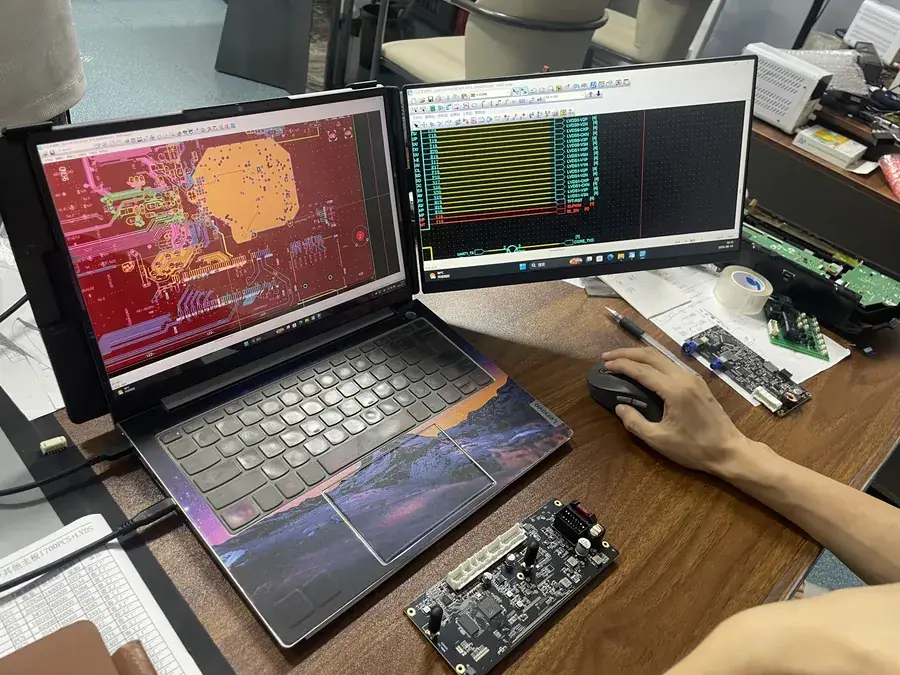
The hardware does not have to change for any of that. A single board with a Sunplus automotive-grade chipset, one LVDS input, one LVDS output, a CAN transceiver and a dual-band WiFi radio can cover several generations. What changes is the build flashed onto it: the branch that trains the display link, the branch that maps the rotary controller, the branch that handles the reverse trigger.
This is why a fitment question is never answered by model year alone. The correct question is which platform the head unit reports, and the module works that out after it is plugged in.
What the Firmware Build Actually Controls
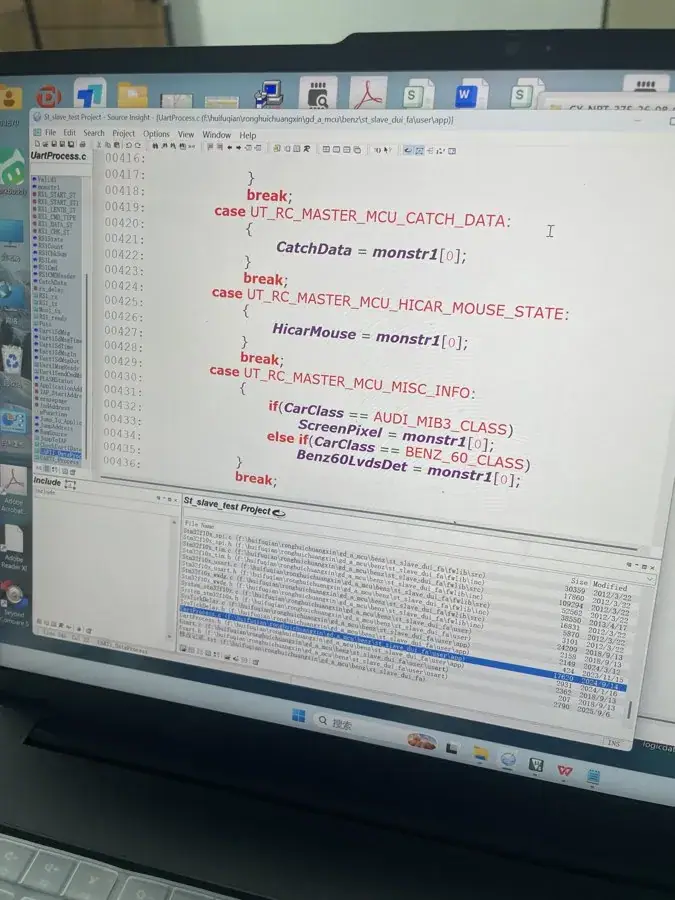
Inside the build, the platform identity is a named class rather than a guess. Source for a typical build contains switch statements that compare an incoming platform identifier against each supported head unit family and then set the matching display parameters. A branch for one family and a branch for another do not merely choose a picture size; they select a whole set of timings, control flags and bus behaviour.
| Head unit generation | What the build has to match |
|---|---|
| BMW CIC | LVDS display timing of the original panel, iDrive rotary knob protocol, menu handoff between screens |
| BMW NBT and EVO | Different video path and link lane count, separate reverse detection line, different key report set |
| Audi MMI 2G and 3G | Audio route to the factory amplifier, optional second screen handling, narrower display timing set |
| Audi MIB2 and MIB3 | Higher display clock, different response codes on the control bus |
| Mercedes NTG4.0, NTG5.0 and NTG6.0 | Video source selection, amplifier routing, key protocol that changed between generations |
The Linux-embedded side of the module stays fixed across those branches. There is no application layer installing itself in the background, no cache building up behind the interface, and no store to update years later. The image that ships is the image that runs, which is why a module fitted to a fifteen-year-old car still behaves the same on its first day and its hundredth.
How a Module Works Out Which Head Unit It Has
Identification happens over the vehicle network rather than through a menu. On wake, the module listens to the traffic on the CAN bus, reads the identifiers the head unit publishes, and compares them against the platform classes compiled into its build. Only then does it commit to a display timing set.
That sequence is why a module fitted in a hurry can look broken. If the bus is not woken correctly, the platform identifier never arrives, the module falls back to its most conservative timing set, and the factory screen stays dark even though every wire is in the right place. The fault is a wake path, not a display.
Where a Version Mismatch Shows Up
A build shipped against the wrong generation rarely fails completely. It fails in ways that look like separate problems, which is exactly why they get misdiagnosed as defective units and returned.
| Symptom on the car | Most likely cause |
|---|---|
| Screen stays dark, module status normal | Build targets another display timing set, so the panel never completes link training |
| Steering keys respond, rotary knob does not | Knob protocol in the build belongs to the other generation |
| Rear camera does not come back on reverse | Build carries no reverse trigger mapping for this head unit |
| Audio on one path only | Build routes to a different amplifier variant than the car has fitted |
| Drops only in a multi-storey car park | 5GHz build not selected, unit sits on the 2.4GHz fallback band |
Each of these lines is cheaper to prevent than to repair. A distributor who stocks by model year rather than by platform class will hit the reverse camera line repeatedly, because reverse trigger wiring changed more than once across these generations.
The Linux Embedded and Automotive-Grade Chipset Part
Two hardware decisions shape how the build behaves in a car. The first is the automotive-grade Sunplus chipset, which is qualified for the temperature range and supply conditions inside a vehicle rather than for a desk. The second is the Linux-embedded base, which keeps the running image fixed and the behaviour repeatable.
| Point of comparison | Retrofitted factory screen with a Linux-embedded module | Aftermarket Android head unit |
|---|---|---|
| Original display and bezel | Kept in the car | Removed; a different panel and frame arrive with the kit |
| Trim work | One removal and one refit | Removal of the original unit, then refit around a different panel |
| System behaviour over years | Fixed embedded Linux image, no app cache | Android build with accumulated cache behind the interface |
| Changes in later service | Same hardware, newer build if the platform needs one | New operating system, new interface to learn |
An aftermarket Android head unit solves a different problem, namely replacing a failed display, and it arrives with its own screen and its own operating system. The comparison matters here for one practical reason: with the factory screen retained, the platform identity can be read from the car itself, so a build is verified against the actual head unit rather than against the invoice.
5GHz Dual-Band WiFi Is a Firmware Decision Too
Two radios are only half the story. A dual-band setup that carries 5GHz alongside 2.4GHz needs firmware that selects the band and holds it, keeps video traffic on the higher band when conditions allow, and falls back cleanly when a multi-storey concrete car park makes the higher band unusable. The two pigtail antennas at the module end are matched to that decision, which is why they are routed away from metal inside the dash.
Apple documents the pairing and connection requirements for CarPlay in its official support page, which is worth reading before a fitment is promised to a customer. Band behaviour itself is covered by the Wi-Fi Alliance's technical documentation.
What This Means for Buyers Who Stock Parts
Coverage across 300+ vehicle models and series from 2006 to 2025 is only useful if the build and the platform are matched at the point of sale. The practical consequence for a distributor is that head unit generations, not model years, are the unit of stock. Models that share a platform class can share a module; models that look identical in a catalogue can need two different ones.
Three commercial terms matter at this stage. Stock starts at 10 pieces with mixed models allowed, private label runs start at 500 pieces per model, and a Full OEM programme starts at 1000 pieces per model. Samples take 7 to 15 days by DHL or FedEx, and a large-volume order takes 15 to 20 days. Quotations come back within 12 hours, including volume tiers and lead times for the platforms named in the enquiry.
Payment follows a standard split rather than open terms: 30% deposit with the order and 70% against a copy of the bill of lading, settled by bank transfer or PayPal. A sample fee is credited against the first large-volume order from the same buyer, so a platform still being evaluated does not carry a sunk cost.
Frequently Asked Questions
Can one module cover several head unit generations?
The board can. The build decides what the module does with that board, so a unit has to be specified against the head unit platform class, not against the model year printed on the invoice.
What happens if the build does not match the head unit?
Common outcomes are a dark screen, a rotary controller that stops responding, a rear camera that does not return on reverse, or audio routed to a path the car does not use. None of those necessarily means the module is faulty.
Does the original screen stay in the car?
Yes. The module drives the factory screen and leaves the original display, head unit, steering controls and reverse camera in place.
Is wireless stable in an underground car park?
The 5GHz band is the one that carries the video, and dense concrete structures are where it is weakest. Antenna routing away from metal inside the dash does more for stability than any software setting.
Can a module be updated after it is fitted?
Platforms that need a later build are handled by build revision rather than by replacing the module, which is why the platform identifier is worth recording at installation.
Where the Platform Data Comes From
Platform behaviour behind CarPlay itself is documented by Apple, including connection and pairing requirements for a wireless link, on its official CarPlay support page. Radio band rules and channel behaviour are set out by the Wi-Fi Alliance, and vehicle-level context is useful reading for anyone specifying display links on older platforms.
Send the vehicle list with head unit generation rather than model year alone, and the fitment can be confirmed before anything ships. Wholesale tiers and lead times are covered on the wholesale page; a quotation request through the inquiry form comes back within 12 hours, and a sample fee can be deducted from the first large-volume order.
Need the Module From This Guide?
Wholesale from 10 pcs (mixed models OK), samples in 7–15 days (DHL/FedEx express). Fitment confirmation within 12 hours.
Request Pricing Check FitmentRelated Resources
- CarPlay Collections — browse by marque family (German, British, Italian, Japanese, luxury)
- CarPlay Fitment Checker — find the module for your car
- CarPlay Decoder FAQ — 34 answers on compatibility, install and wholesale
- CarPlay Retrofit Buying Guide — platform identification & selection
- Wholesale, Private Label & OEM Program — MOQ, lead times, payment terms
- All installation & technical guides