
Published 2026-10-13 · DIYCarPlay Engineering Team · 10 min read
The Gauges Keep Working: How a CarPlay Retrofit Module Leaves the Instrument Cluster Alone
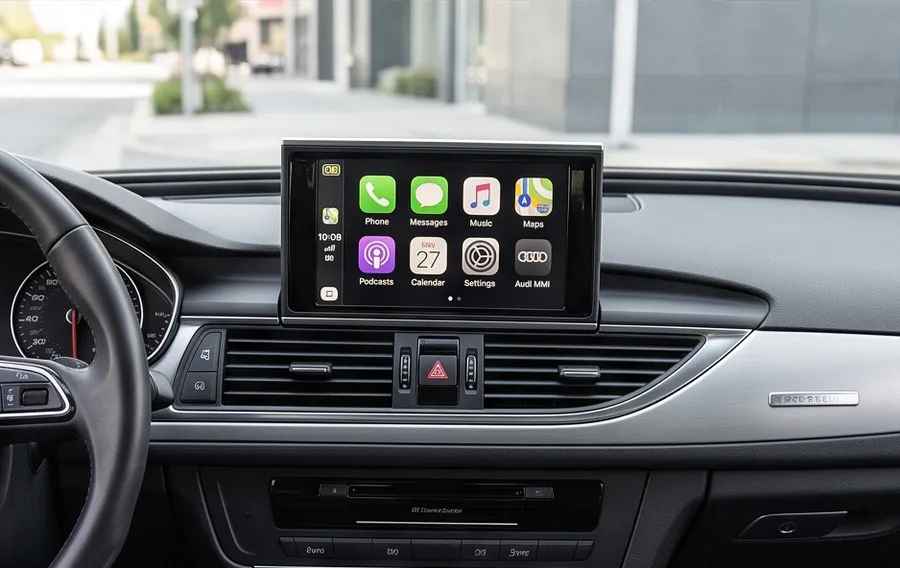
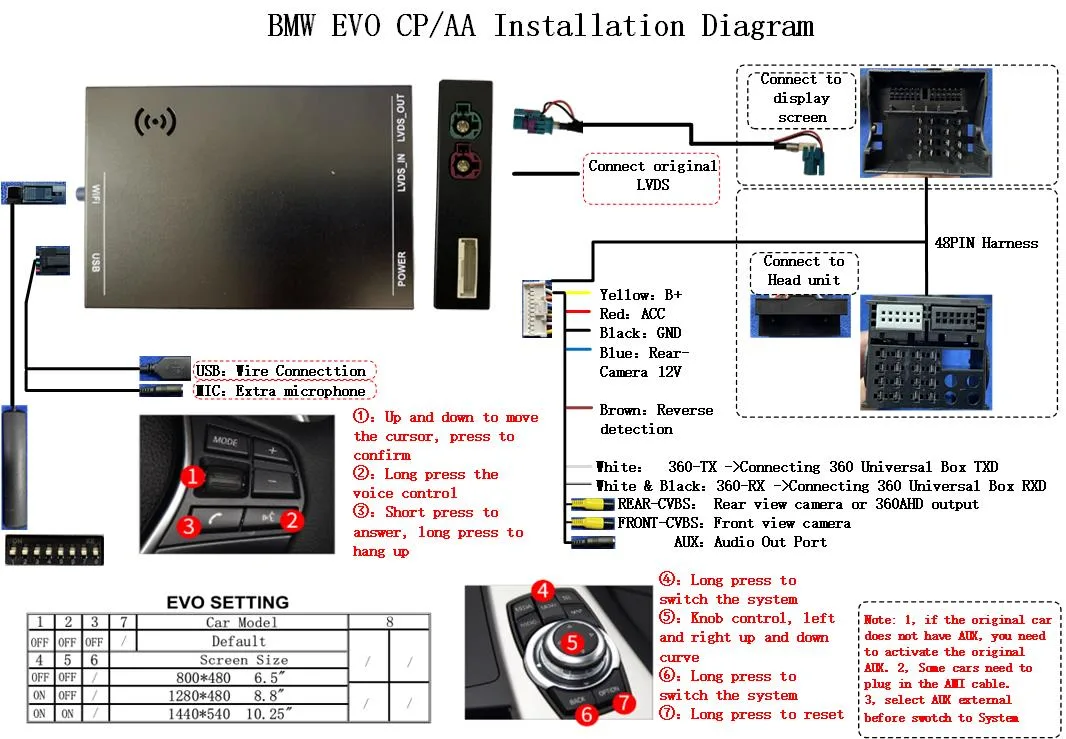
What the instrument cluster actually is
On most cars built before wireless CarPlay existed, the display in front of the driver and the display in the centre console are two separate pieces of hardware. The centre-stack unit is the head unit: it runs the factory menu system, the radio, the parking sensor overlay and the factory navigation. The panel behind the steering wheel is the instrument cluster, driven by its own controller and fed by the vehicle network. Nothing about a head unit retrofit changes that arrangement, and that separation is the whole reason a retrofit can add CarPlay without touching a single gauge.
A retrofit module sits in the middle of the video path, not the gauge path. It intercepts the LVDS link between the head unit and the centre display, passes the factory signal through untouched while the car is in its own menu system, and takes that link over when CarPlay needs the screen. The instrument cluster is not on that link. It keeps receiving speed, fuel level, coolant temperature, tyre pressure and warning lamps over the vehicle network on its own wiring, and keeps displaying them, whether the centre screen is showing the factory menu or Apple CarPlay.
Where the vehicle data comes from
The cluster and the head unit read the same vehicle network, but they subscribe to different message groups. A retrofit module therefore has to behave in a specific way on that network: listen, and stay quiet. It reads the frames it needs to keep the display alive and to answer the head unit, and it does not transmit anything that would change the behaviour of another controller on the same bus.
That restraint is the engineering difference between a module that installs cleanly and one that triggers warning lamps. Transmitting a message that another controller considers unexpected is the usual reason a retrofit install produces a bulb check on the next start, or an electronic parking brake fault, or a radio that drops its stored settings. A module that only ever listens cannot cause that class of problem. The description of how vehicle data is carried across a vehicle network is set out in the CAN bus documentation on Wikipedia, which is the reference most head unit engineers work from.
What changes on a retrofit, and what does not
The useful way for a buyer or an installer to think about a retrofit is to split every function on the centre stack into two buckets: functions that belong to the car, and functions that belong to the phone.
| Function on the centre screen | With a retrofit module on the factory screen | Aftermarket Android head unit |
|---|---|---|
| Instrument cluster, speed, fuel, tyre pressure | Stays on the vehicle network and stays correct | Often falls back to GPS speed; gauge feed is usually absent |
| Steering wheel buttons and rotary controller | Factory input path kept, controls stay usable | Button mapping has to be re-learned on the new unit |
| Factory radio, amplifier and audio sources | Routed through the factory amplifier as before | Factory amplifier logic usually bypassed |
| Factory navigation and menu system | Still selectable, module passes it through | Removed along with the display it belonged to |
| Reverse camera and parking sensors | Reverse trigger preserved, camera feed kept | Camera has to be re-triggered by the new unit |
| Display panel, bezel, brightness, night mode | Original panel kept, original dimming behaviour | A different panel with its own colour and dimming curve |
| Long-term behaviour | Linux embedded layer, no application cache behind it | Application cache builds up over months of use |
Nothing in the left-hand column has to be reconfigured by the driver after the install. That is the practical difference a buyer feels in week two rather than on day one.
Why the cluster matters more than it sounds
The instrument cluster is the one display a driver cannot stop looking at. A retrofit that forced the driver to glance at the centre screen to check speed, or that put an unreliable value in front of the speedometer, would be rejected on the first drive. Keeping the cluster untouched removes that entire category of complaint from an installation, which is why installers quote a retrofit job on how quickly the car goes back on the road rather than on how many functions were added.
There is a second, quieter reason. The cluster keeps working after the module is fitted, so the module has no reason to send anything on the vehicle network. A design that reads and stays silent is easier to certify across a wide model range, and easier to support when a customer calls with a question about a specific year and audio variant. Coverage across 300+ vehicle models and series from 2006 to 2025 is only practical because the underlying method does not change from one car to the next: intercept the display link, listen on the vehicle network, hand the car back untouched.
Where an aftermarket Android head unit differs
Most aftermarket Android head units of this size generate their own display output and run their own software rather than the factory menu system. The speed shown on such a unit is commonly taken from GPS satellites rather than from the car, and the vehicle network is not part of the picture at all. That is a reasonable product for some buyers and the wrong product for an installer who wants the car back the way it was.
A Linux embedded retrofit module takes a different route. It does not generate a new display and it does not load a general-purpose operating system onto the car. It runs a fixed-purpose layer on an automotive-grade chipset, which is the same reason a factory Mercedes, BMW or Audi head unit stays responsive after six years: there is no application cache behind it, and nothing is competing for the resources the display path needs. Android-based units are not slow on day one; they accumulate background processes over time, which is a different and less predictable problem to hand a customer.
The chipset and the embedded layer
Fluency on a factory screen comes from the hardware doing the work, not from the software being generous with resources. These modules run on an automotive-grade Sunplus chipset, and the Linux embedded layer around it is built for one job: decode a display stream and hand it to the panel on time, every time. That is a much narrower requirement than a general-purpose head unit, and it is why the same module behaves the same way on a cold morning and after a full day of use.
For a distributor this matters at the level of returns. A module that has to be re-flashed, re-paired or re-taught because it degraded after a few weeks turns into a support cost and a shipping cost. Constraining the software to a fixed purpose is what keeps the failure surface small enough to run a warranty programme on.
The wireless side of the same link
Cluster data travels on the vehicle network; picture and touch travel over the radio link. The two are separate, which is why a congested parking garage does not affect the gauges and a weak 5GHz link does not affect the fuel level.
The radio side is a 5GHz dual-band WiFi link running alongside 2.4GHz. The 5GHz band carries the picture stream, and it has the headroom for it: in a multi-storey car park full of other 2.4GHz devices, the higher band is where a video stream stays clean. The 2.4GHz side handles the handshake and the control traffic that keeps the link established. Apple documents the pairing and connection behaviour on its CarPlay support page, and the band behaviour is described in the Wi-Fi Alliance literature on dual-band operation.
How this is checked before a unit ships
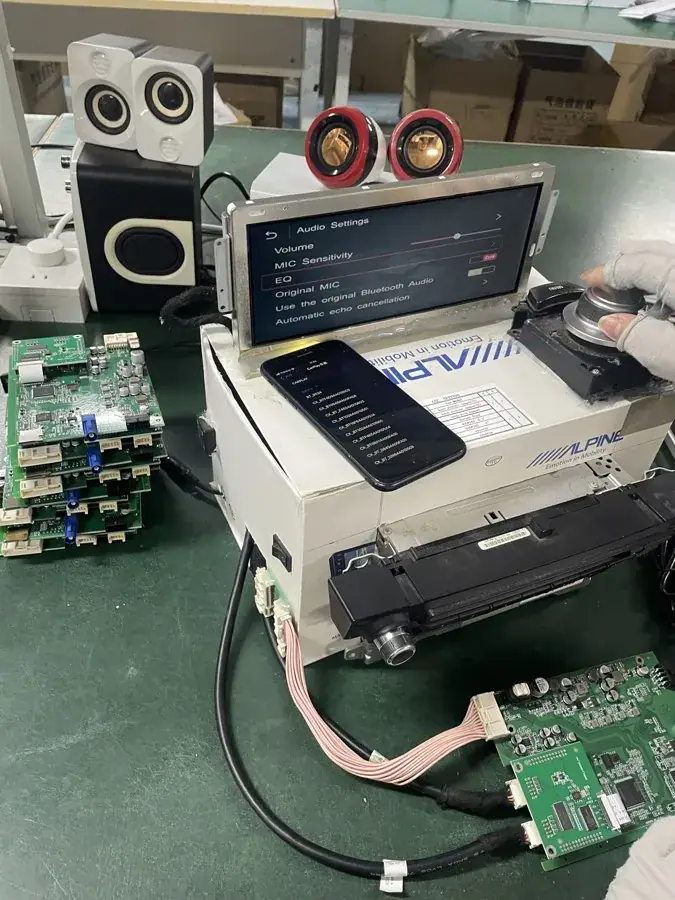
Every unit is exercised on a bench against a real head unit of the target generation before it is packed. The bench is a full head unit, not a simulator, because the things that fail in the field are the things a simulator cannot reproduce: the display handshake on a cold start, the wake path from the vehicle network, the LVDS timing when the factory menu hands over to CarPlay, and the reverse trigger.
For a retrofit where the cluster must stay untouched, the bench check has a specific purpose. The module is confirmed to read the vehicle network without transmitting on it, and to leave the display handoff to the factory system intact. A module that passes that check will not disturb the gauges on a road test, which is the outcome that decides whether the car goes back to the customer or onto a bench again.
Background reading
Three sources are worth keeping open next to a project file. Apple's CarPlay support page sets out what the phone expects from a head unit. The CAN bus article on Wikipedia explains the network the cluster and the module both sit on, including the arbitration rules that make a listen-only module safe. Most vehicle makers publish their own technical documentation for head unit generations, and that is the correct place to confirm which display link a given year and trim level uses before a harness is assembled.
Frequently asked questions
Does the retrofit touch the instrument cluster?
No. The cluster is not on the display link the module intercepts. It continues to read the vehicle network on its own wiring and continues to display speed, fuel, coolant temperature, tyre pressure and warning lamps.
Will the speedometer still be right while CarPlay is running?
Yes, because the value comes from the vehicle network rather than from the phone or from satellite positioning. Nothing in the CarPlay picture path feeds the cluster.
Do warning lamps still behave normally?
They do. The module reads the vehicle network and does not transmit on it, so it does not introduce the unexpected-message faults that cause a bulb check on the next start.
Is the factory screen kept in place?
Yes. The factory screen, the head unit, the steering wheel buttons, the rotary controller, the factory amplifier path and the reverse camera all stay as fitted. The module adds a second source of pictures to a screen that was already there.
How is this different from replacing the display with an aftermarket Android unit?
An aftermarket Android head unit generates its own display and runs its own software, which removes the factory menu system, changes the dimming behaviour and usually leaves the vehicle network out of the picture entirely. A retrofit module keeps the factory screen and hands the car back with the original functions in place.
Commercial terms
Coverage spans 300+ vehicle models and series from 2006 to 2025, with the harness, the dip-switch configuration and the audio variant matched to the specific head unit generation before shipment. Model availability can be checked against the compatibility list before a sample is ordered.
Minimum order quantities are 10 pcs for stock units with mixed models accepted in one shipment, 500 pcs per model for private label, and 1000 pcs per model for Full OEM firmware customisation. Sample lead time is 7 to 15 days by DHL or FedEx; volume production of 500 pcs or more runs 15 to 20 days. Quotations are returned within 12 hours. Payment is 30% deposit with the balance against a copy of the bill of lading, by T/T or PayPal. A sample fee is credited against the first large-volume order.
The next step is a conversation about the specific vehicle. Send the year, model, and the audio variant if the car has more than one, and the matching harness and configuration come back with the quotation: wholesale terms are published, or request a quote and it comes back within 12 hours.
Need the Module From This Guide?
Wholesale from 10 pcs (mixed models OK), samples in 7–15 days (DHL/FedEx express). Fitment confirmation within 12 hours.
Request Pricing Check FitmentRelated Resources
- CarPlay Collections — browse by marque family (German, British, Italian, Japanese, luxury)
- CarPlay Fitment Checker — find the module for your car
- CarPlay Decoder FAQ — 34 answers on compatibility, install and wholesale
- CarPlay Retrofit Buying Guide — platform identification & selection
- Wholesale, Private Label & OEM Program — MOQ, lead times, payment terms
- All installation & technical guides