
Published 2026-10-06 · DIYCarPlay Engineering Team
How to Add CarPlay to a BMW F30 Without Replacing the Factory Screen
Yes — a plug-and-play CarPlay decoder module adds wireless CarPlay to a BMW F30 while keeping the original factory screen, the iDrive controller and every factory function. No screen replacement, no coding, no dashboard trim damaged.
A CarPlay retrofit is a module that brings modern phone connectivity to a car whose factory infotainment was built before CarPlay existed. It sits behind the head unit, connects to the vehicle's own wiring, and presents CarPlay on the display already fitted in the dashboard. It is not a new screen, and it is not a general-purpose tablet bolted to the dash.
BMW sold the F30 from 2012 to 2019 with an NBT head unit as the standard fitment, and that unit has no CarPlay and no means of gaining it through a software update. The hardware underneath is capable — the infotainment computers in premium European cars are essentially Linux machines — but the phone integration was never enabled in this generation. Adding it means adding the missing interface, not replacing the display.
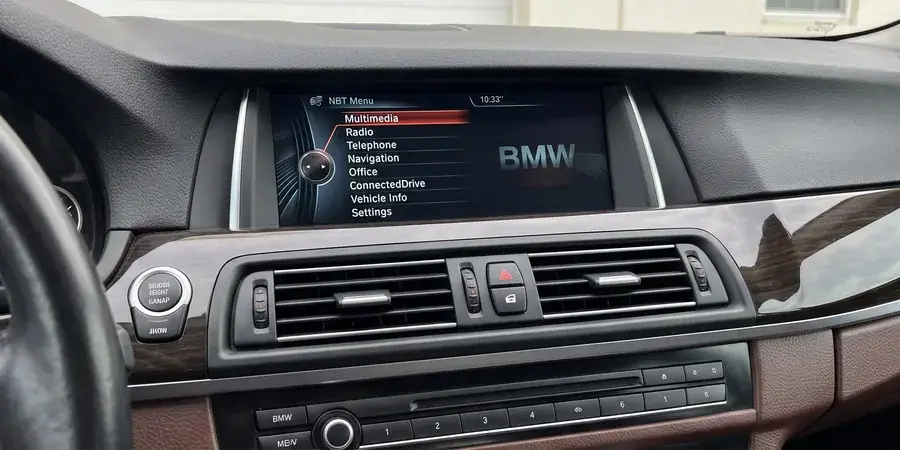
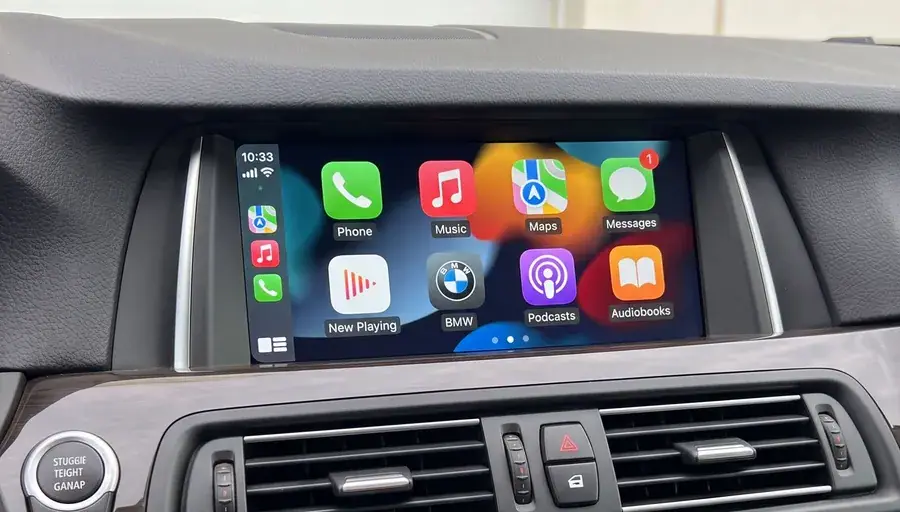
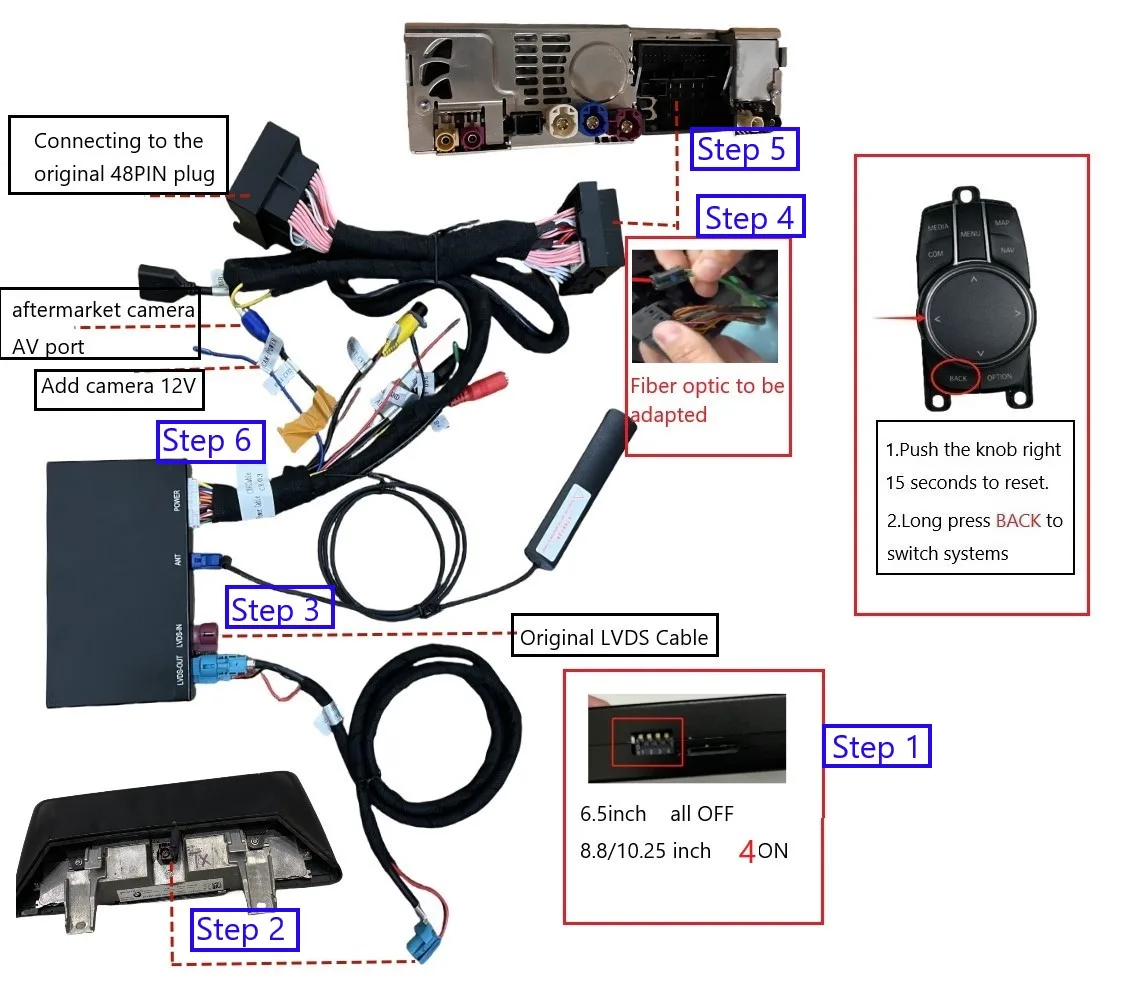
Which head unit an F30 actually has
BMW replaced its head units several times across overlapping model years, so two F30s of the same apparent age can need different modules. The generation is identified by the screen and the controller rather than the build year, and getting it wrong is the single most common reason a module arrives and does nothing on the bench.
| Head unit | Typical models | Years | What identifies it |
|---|---|---|---|
| CCC (Car Communication Computer) | E90 3 Series, F10 5 Series pre-facelift | 2005–2013 | Small 8.8-inch panel, iDrive controller on the console |
| CIC | E90 3 Series, F01/F10 | 2008–2013 | Flat menu structure, separate controller box |
| NBT | F30/F31/F32 3 Series, F10 5 Series 2013+ | 2012–2019 | Most F30s. 6.2-inch or 8.8-inch panel depending on year |
| ENH / EVO | F30 late production, newer F-series | 2017+ | Newer generation, different video timing |
To identify what is fitted, switch the ignition on and look at the layout. A boxy list-style menu points to CCC or CIC. The wider layout with a larger set of entries and a more modern typeface points to NBT. A tile-based interface with a configurable home screen points to the newest generation. When it is still ambiguous, a photograph of the screen and the controller settles it. The BMW fitment page lists each module against the model lines it covers, and the vehicle fitment finder maps a specific car to the right one in three steps.
What the installation actually involves
The job is physical access plus a pairing step. There is no coding, no software flashing and no cutting of factory wiring.
On most F30 variants the head unit is reached by releasing the centre console trim and removing two Torx T20 screws that retain the display bracket. The trim comes off on its clips and goes back on unchanged, which is why nothing on the dashboard ends up marked. Behind the head unit the harness plugs into the factory connector, and the module negotiates over the vehicle CAN-BUS with the car's own systems.
One detail decides whether the retrofit feels native or feels like an accessory: the iDrive controller. The knob on the centre console does not send its signals through the display. It reports on a separate LIN/CID line to the head unit, and the module has to carry that signal and translate it into on-screen movement. A module that powers the screen but ignores the controller produces a picture with a dead knob, which is the most common installation complaint in this category.
Audio routing is the second detail. The microphone path has to work in both directions, and the module has to yield to the factory system when the driver presses the menu button rather than holding the CarPlay session open over it.
Why the picture stays sharp where other modules struggle
Wireless CarPlay is a continuous video transfer, and 2.4GHz is a crowded band. The failure is rarely dramatic. It is a picture that stays sharp in the driveway and on the home street, then starts stuttering in a multi-storey car park where dozens of access-point beacons and phone hotspots share the same channels.
This is why the band matters more than the headline specification. A module limited to 2.4GHz looks identical on a spec sheet and behaves differently in exactly the places where a car spends most of its parked hours. Dual-band WiFi using 5GHz alongside 2.4GHz has the headroom to keep the stream stable in those conditions, which is why connectivity is tested in enclosed structures and not only on an open road.
| Condition | 2.4GHz only | Dual-band with 5GHz |
|---|---|---|
| Open road, clear line of sight | Stable | Stable |
| Multi-storey car park | Intermittent stutter as channels fill | Holds the stream |
| Street with dense access points | Noticeable drop at times | Unaffected |
| Video quality ceiling | Lower available bandwidth | Higher, sharper output |
What stays working on the factory screen
Retaining the original display is only worth something if the rest of the car behaves the same way. The functions below are the ones a driver notices within a week of driving an F30.
- The factory menu stays reachable. A long press of the home button returns to the original BMW interface, so the car still does what it did when it was new.
- The iDrive controller scrolls and selects inside CarPlay, including on the map and in the audio interface.
- Steering-wheel controls for volume and track selection continue to operate inside CarPlay rather than only on the factory system.
- The reversing camera still appears when reverse is selected. The camera image is routed through the head unit, so the module has to stay out of that path entirely.
- Factory navigation and stored vehicle settings are untouched, because the original system is still running underneath.
Why the module runs Linux rather than Android
This detail affects how the car feels after a year of use, which is well beyond the point of purchase and relevant again at resale.
An Android-based head unit runs a general-purpose operating system. Background processes accumulate, cached data builds up, and the interface gradually feels slower than it did on the day it was fitted. A fixed embedded Linux system with no application layer does not accumulate in the same way, because there is no application layer to accumulate. The modules run embedded Linux on an automotive-grade chipset from Sunplus, a Taiwanese supplier building for sustained in-vehicle operation across temperature and voltage ranges, so smoothness comes from the silicon doing the work rather than from allocating more system resources.
This is also why premium factory infotainment systems stay fluid after years of service: their computers are fundamentally Linux machines too. Apple's CarPlay support documentation sets out the connection requirements a module has to satisfy, and the CarPlay entry on Wikipedia covers the platform history that decides which head unit generations are eligible at all.
What it costs and how the order works
For an owner, the cost is the module plus installation labour, and the sensible first step is a sample unit fitted to the car actually driven rather than a bulk purchase against a fitment guess. Module pricing depends on which head unit generation the car has, and the fitment should be confirmed before anything is ordered.
For a workshop or distributor buying stock, the wholesale terms run in three tiers. Stock modules start at 10 pieces with mixed models allowed in one order, private label starts at 500 pieces per model, and a Full OEM firmware programme starts at 1000 pieces per model. Samples ship in 7 to 15 days by DHL or FedEx, and bulk orders of 500 pieces or more take 15 to 20 days. Quotations follow within 12 hours of an enquiry, on 30% deposit with the balance due against a copy of the bill of lading.
Common questions
Can you add CarPlay to any BMW?
No. The car needs a factory infotainment system that can be interfaced with, which covers most European BMWs from roughly 2006 onward. Head units were phased in mid-model-year across overlapping platforms, so the generation has to be identified before a module is ordered.
Does fitting a CarPlay module cancel the car warranty?
The vehicle's own systems stay in use and no factory component is modified or removed, which is the practical position. For a specific car under a specific warranty period, confirming with the dealer before fitting any accessory remains the sensible step. What is touched and what is not can be stated exactly.
Will the iDrive knob still work?
Yes, when the module carries the controller signal and translates it. This is the specific function checked on the test bench before a unit ships, because a live picture with a dead knob is the most common complaint in this category.
Is wireless slower than a wired connection?
Wireless performance depends on the band. A module supporting 5GHz alongside 2.4GHz has considerably more bandwidth available for video than one limited to 2.4GHz. Both wired and wireless are supported on these modules, so either suits the driving.
Does the module affect the reversing camera?
No. The camera routes through the head unit, and the reverse trigger is verified on the bench so the module releases the video path at the right moment. The factory camera keeps working exactly as before.
Will an F30 screen look different after fitting?
The physical panel is unchanged, which is the point of retaining it. What changes is the source driving the panel, and the display resolution and size are the ones the car already had.
Check the fitment, then order a sample
Identify the head unit generation first, then request a sample and verify the functions listed above on the car that will actually be driven. Send the vehicle list and quantities through the enquiry form, and a quotation follows within 12 hours with the matching module, the sample lead time and the volume tier it falls into.
Need the Module From This Guide?
Wholesale from 10 pcs (mixed models OK), samples in 7–15 days (DHL/FedEx express). Fitment confirmation within 12 hours.
Request Pricing Check FitmentRelated Resources
- CarPlay Collections — browse by marque family (German, British, Italian, Japanese, luxury)
- CarPlay Fitment Checker — find the module for your car
- CarPlay Decoder FAQ — 34 answers on compatibility, install and wholesale
- CarPlay Retrofit Buying Guide — platform identification & selection
- Wholesale, Private Label & OEM Program — MOQ, lead times, payment terms
- All installation & technical guides