
Published 2026-10-05 · DIYCarPlay Engineering Team
Keep Your OEM Factory Screen: How CarPlay Retrofit Actually Works
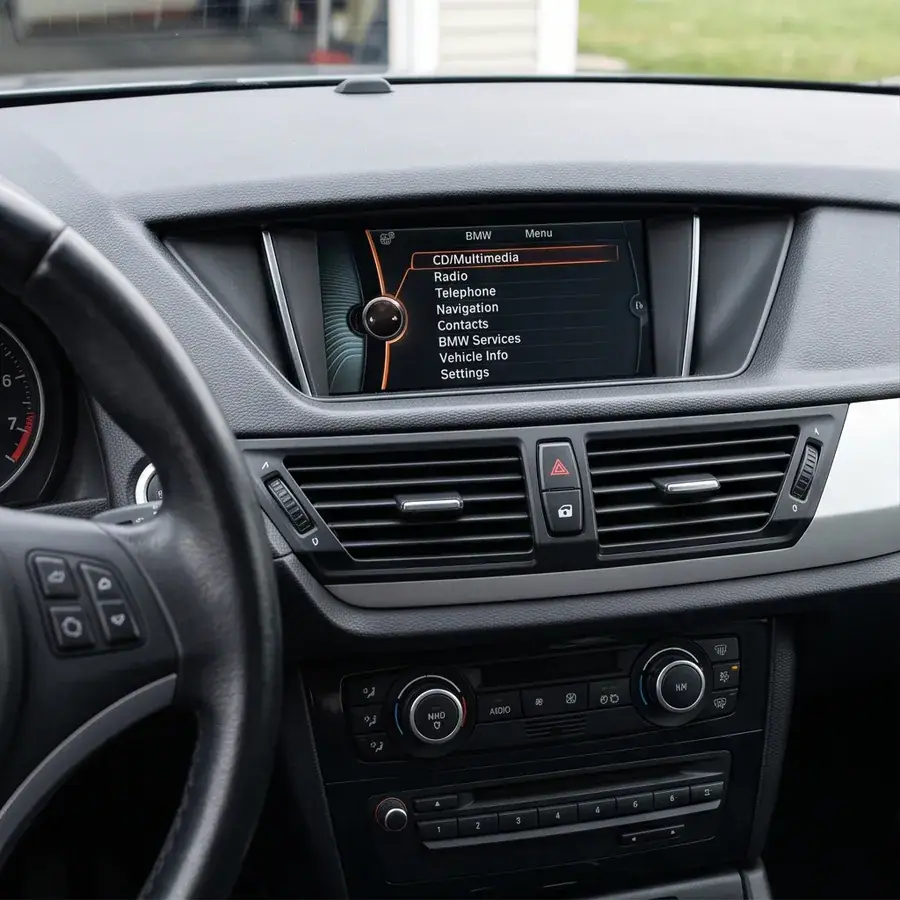
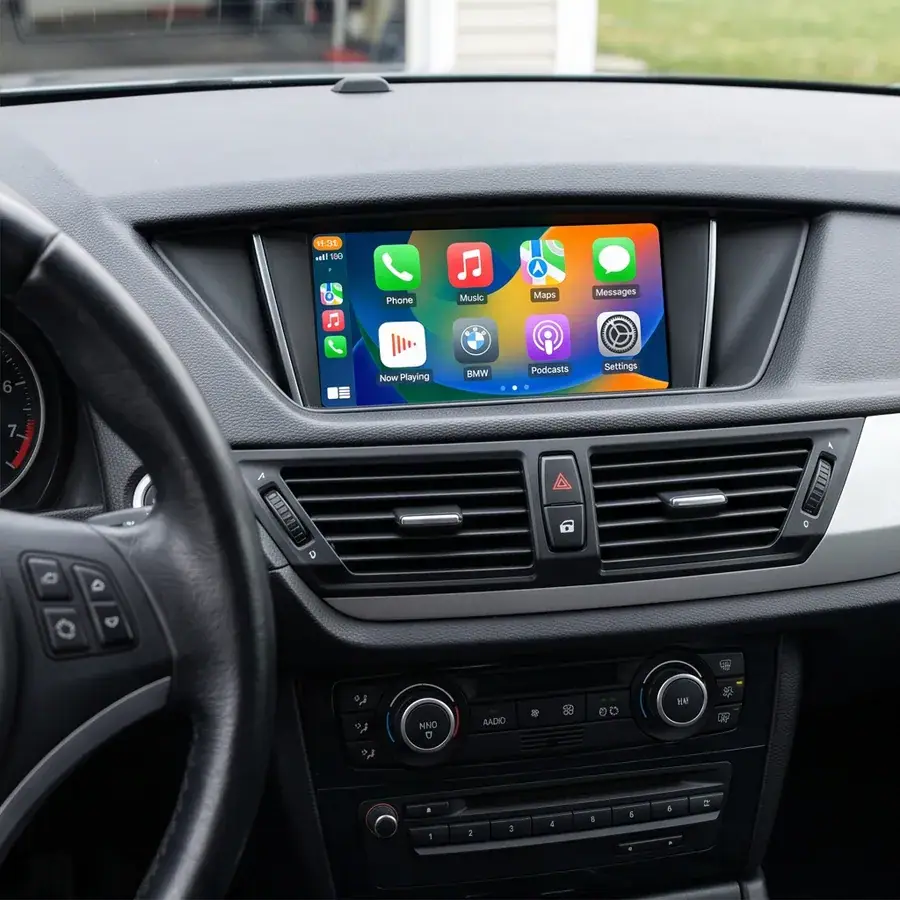
A carplay retrofit is a module that adds modern connectivity to a vehicle whose factory infotainment predates it. The plug and play version of that definition means something specific: the module connects to the factory harness behind the head unit, the original screen stays in the car, and every factory function keeps working. That is a different outcome from replacing the screen, and understanding the difference is the whole decision.
Two definitions that get confused constantly
Search results for carplay retrofit blend together two products that share a keyword and share nothing else.
The first serves vehicles that already have wired CarPlay in the factory head unit. Wireless capability is added over a USB connection. The second serves vehicles whose factory infotainment has no CarPlay at all — a 2008 BMW 3 Series, a 2012 Mercedes C-Class — where the module must interface with the vehicle's own bus and video lines to add a function the hardware was never built with.
The modules described here are the second type. The distinction is not marketing; it determines whether the product is even eligible for the car in front of you.
What "keeps factory screen" means in practice
When a module is described as retaining the OEM screen, five things should remain true afterwards. Distributors and owners should verify all five.
| Function | After a non-coding retrofit | After a screen replacement |
|---|---|---|
| Display | Original panel, original resolution | New panel, new resolution |
| Factory menu | Fully accessible | Removed or buried |
| Steering-wheel controls | Unchanged | Often partially lost |
| Factory reversing camera | Works as before | May need an adaptor |
| iDrive knob / controller | Unchanged | Usually non-functional |
Switching between CarPlay and the factory system uses the car's own controls — a long press of the factory menu button, or the controller. Nothing is cut, nothing is trimmed, and no diagnostic coding is required after installation. The fitment checker confirms whether a specific vehicle is eligible.
Why the module runs Linux rather than Android
This is the part most competitor material skips, and it is the part that determines how the product behaves after a year of daily use.
An Android-based head unit runs a general-purpose operating system designed for apps. That design brings background processes, and background processes accumulate. The practical experience of Android car screens is a unit that starts responsive and gradually feels slower, with cached data building up until performance depends on how much has been installed and used. This is a well-documented characteristic of the platform, not a defect in any particular product.
These modules run Linux in an embedded configuration — a fixed, purpose-built system with no application layer and no cache growth of that kind. The smoothness is not a consequence of allocating more memory, because that is not how the product is built. It comes from the hardware doing the work.
This is also why premium factory systems from Mercedes, BMW and Audi stay fluid after years of service: their infotainment computers are fundamentally Linux machines. The operating system in a quality retrofit is not an unusual choice — it is the same class of system the manufacturer already chose.
The chipset is where the smoothness comes from
Because the Linux layer is fixed, responsiveness is decided by the silicon. The modules use an automotive-grade chipset from Sunplus, a Taiwanese supplier whose products are built for sustained in-vehicle operation across temperature and voltage ranges rather than for peak desktop benchmarks.
The practical consequence is that video decoding for phone mirroring, Bluetooth audio routing and the CAN-bus traffic behind the interface all run on hardware chosen for that environment. Smoothness under mirroring is a hardware property here, which is why it stays consistent over time instead of degrading.
5GHz dual-band WiFi is the part customers notice
Once the system is stable, the remaining question is the wireless link. Mirroring a phone to a car display is a continuous data transfer, and it runs over the same congested spectrum as every other device nearby.
The modules support dual-band WiFi — 2.4GHz and 5GHz together. The 2.4GHz band reaches further but is crowded; the 5GHz band is less congested and carries more bandwidth, which is what a high-definition video stream actually needs. Supporting both means the connection can use the cleaner band when conditions allow and fall back sensibly when they do not.
The result is what buyers in Europe and Australia most often describe first: no visible stutter, and a picture that stays sharp. A module that supports only one band will look identical on a spec sheet and behave differently in a city centre.
What this means when you are specifying a module
For a car owner, the checklist is short: does it keep the original screen and the original controls, does it need coding, does it support dual-band WiFi, and does it support both wired and wireless.
For a workshop or distributor, add two questions: which chipset and operating system, and which head unit generations are covered. The background on head unit identification across marques is covered in the head unit identification guide, and the technical background on the operating system is covered by Linux on Wikipedia and Apple's CarPlay support documentation, which sets out the difference between wired and wireless connection requirements.
Common questions
Will the original screen still work after installing a CarPlay decoder?
Yes. The original display, factory menu, steering-wheel controls, controller and reversing camera all continue to function. The module adds a connection behind the head unit rather than replacing anything.
Does the retrofit require coding or software flashing?
No coding step is required. Installation is a physical connection to the factory harness plus a pairing procedure on the car side.
Is a Linux-based module slower than an Android screen?
The opposite. An Android head unit runs a general-purpose OS whose background processes accumulate over time. A fixed embedded Linux system with automotive-grade silicon does not degrade in the same way, which is the same reason premium factory infotainment stays fluid after years.
Why does dual-band WiFi matter for wireless CarPlay?
Phone mirroring is a continuous video transfer. The 5GHz band carries that stream with far less contention than 2.4GHz, so the picture stays sharp and stable in busy environments.
Can I switch back to the factory system?
Yes, using the car's own controls — a long press of the factory menu button, or the iDrive controller. Both systems remain available at all times.
Check your vehicle
Use the vehicle fitment finder to check whether your car is eligible, then request a sample and verify the five functions listed above on the car you actually drive.
Need the Module From This Guide?
Wholesale from 10 pcs (mixed models OK), samples in 7–15 days (DHL/FedEx express). Fitment confirmation within 12 hours.
Request Pricing Check FitmentRelated Resources
- CarPlay Collections — browse by marque family (German, British, Italian, Japanese, luxury)
- CarPlay Fitment Checker — find the module for your car
- CarPlay Decoder FAQ — 34 answers on compatibility, install and wholesale
- CarPlay Retrofit Buying Guide — platform identification & selection
- Wholesale, Private Label & OEM Program — MOQ, lead times, payment terms
- All installation & technical guides