
Published 2026-10-19 · DIYCarPlay Engineering Team · 12 min read
Pairing Runs on Two Radios: How Wireless CarPlay Hands Off from Bluetooth to 5GHz WiFi
Wireless CarPlay looks like one radio link. On the bench it is two, and the switch between them happens within seconds of ignition. Apple describes the sequence plainly: Bluetooth handles discovery and the initial handshake, the vehicle passes its Wi-Fi credentials across that Bluetooth link, and once the phone has joined the vehicle network, Bluetooth drops out and the entire session runs over Wi-Fi. For a retrofit installer this matters more than any other single behaviour in the kit, because the majority of "it will not connect" returns begin at that handoff.
What actually negotiates before a single pixel moves
A wireless CarPlay session is not a stream that starts when the engine turns. A negotiation runs first, and it has three stages: discovery, credential exchange, then handoff. Discovery happens on Bluetooth, because Bluetooth broadcasts cheaply and needs very little power to announce that a receiver exists nearby. Once the phone and the vehicle have recognised each other, the vehicle sends the name and password of its own local Wi-Fi network across the Bluetooth session. The phone joins that network, and the Bluetooth leg is released. From that point the video stream, the touch responses, the navigation data, the audio and even the phone-call audio all travel over Wi-Fi.
Apple's setup documentation reflects the same ordering. Where a vehicle supports wireless CarPlay only, the driver holds the voice command button on the steering wheel to put the stereo into pairing mode, confirms Wi-Fi is on, checks that Auto-Join is enabled for the CarPlay network, then selects the vehicle under Settings > General > CarPlay. Every one of those steps belongs to the discovery stage. None of them touch the picture. That is why a car can pair perfectly and still show nothing, and why a car can show a picture and then drop it ten minutes later — two different faults, two different stages.
The detail worth memorising before ordering stock is described in Apple's CarPlay support material and summarised here for reference: Apple's own CarPlay setup documentation lists the exact menu path, and the Wi-Fi Alliance describes why the band choice matters for local links in its wireless standards overview.
Why Bluetooth cannot be dropped from a retrofit
The obvious shortcut is to imagine a Bluetooth-free module: one 5GHz radio, one AP, done. That design cannot pair. Bluetooth is not decoration in the chain — it is the discovery channel. A Wi-Fi access point can broadcast, but it cannot present a familiar device identity to a locked iPhone, and it cannot be authenticated without a prior secure link. The credential exchange needs an encrypted channel that already exists, and Bluetooth is what creates that channel before any Wi-Fi association happens.
Bandwidth makes the second half of the case just as clear. The CarPlay display is a live video stream of a phone interface, refreshed continuously, with touch events travelling back the other way and high-fidelity audio flowing alongside. Apple's engineering guidance puts the required throughput at around 25 megabits per second and recommends a Wi-Fi-certified access point on the 5GHz band. Bluetooth-class links do not carry that budget in a vehicle environment. Keeping Bluetooth for discovery and pushing the payload onto 5GHz is not a design preference; it is the only allocation that meets the throughput floor.
| Stage | Radio in use | What crosses the link | Typical duration |
|---|---|---|---|
| Discovery | Bluetooth | Device identity, proximity, saved-pairing lookup | 1–3 seconds |
| Credential exchange | Bluetooth | Local Wi-Fi network name and password | Under a second |
| Handoff | Bluetooth released, Wi-Fi joined | Association to the vehicle's own access point | 1–2 seconds |
| Session | 5GHz Wi-Fi dual-band | Video, touch, navigation, audio, call audio | Entire drive |
| Idle link | Bluetooth | Presence and range checks, reconnect trigger | Whole drive, low rate |
That last row is the one installers forget. Bluetooth does not disappear after pairing. It stays alive at a low data rate, confirming the phone is still nearby and restarting the chain if the Wi-Fi session drops. A module that pairs well but cannot resume is not a pairing fault at all — it is a fault in the idle stage, and it will only show up on the second drive, which is usually after the customer has taken the car away.
The handoff sequence a bench technician should expect
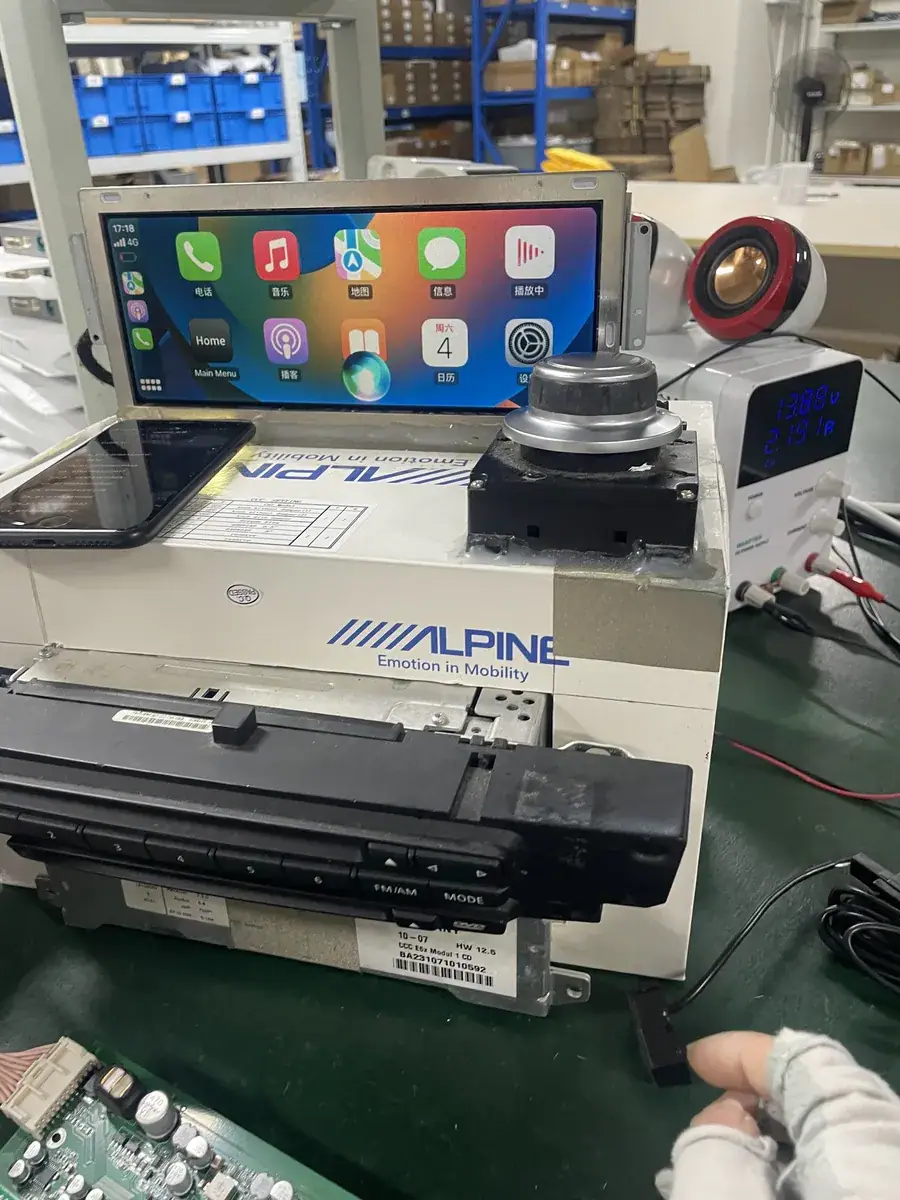
On a correctly wired retrofit, the sequence is repeatable enough to time. Ignition on, the module wakes, its Bluetooth radio announces presence. The phone answers. Credentials cross. The Wi-Fi association forms on 5GHz. The factory screen switches source from the head unit's own menu to the CarPlay frame, and the steering wheel buttons take over navigation and volume. End to end, on a healthy unit, that is a short window — long enough to see, short enough that a customer calls it automatic.
Three failure points account for most bench time:
- No discovery. Nothing appears in the phone's CarPlay menu. Usually the Bluetooth leg is alive but the module is sitting behind a shielded panel, or the antenna pigtail is folded against metal. Antenna routing has to be planned before the trim goes back together.
- Discovery works, handoff stalls. The phone sees the vehicle but the CarPlay screen never appears. This is a Wi-Fi-side fault — band congestion, an antenna routed to the wrong connector, or a credential exchange that completes but produces an unusable association.
- Session starts, then drops. The screen fills in and freezes or returns to the head unit menu. Usually interference rather than configuration: a congested 2.4GHz environment, a metal enclosure, or a pigtail pressed against the housing.
What the retrofit module adds that the factory head unit never had
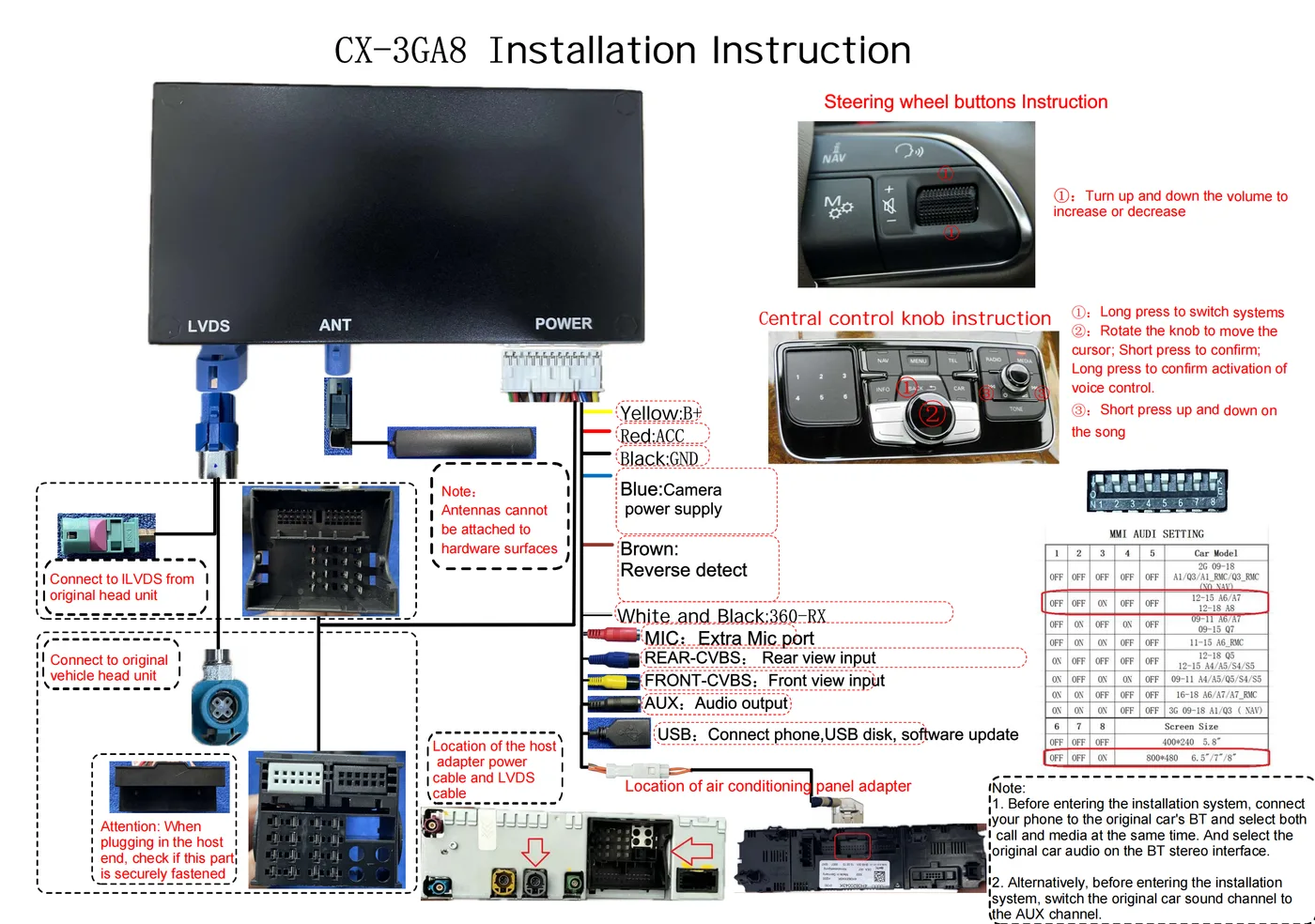
A factory head unit designed for wireless CarPlay is built around this handshake — the radio, the access point and the source-switching logic were engineered as one product. An older vehicle has none of it, and a retrofit module has to supply the whole chain while leaving the original screen, the original head unit, the original steering wheel buttons and the original reversing camera exactly where they were.
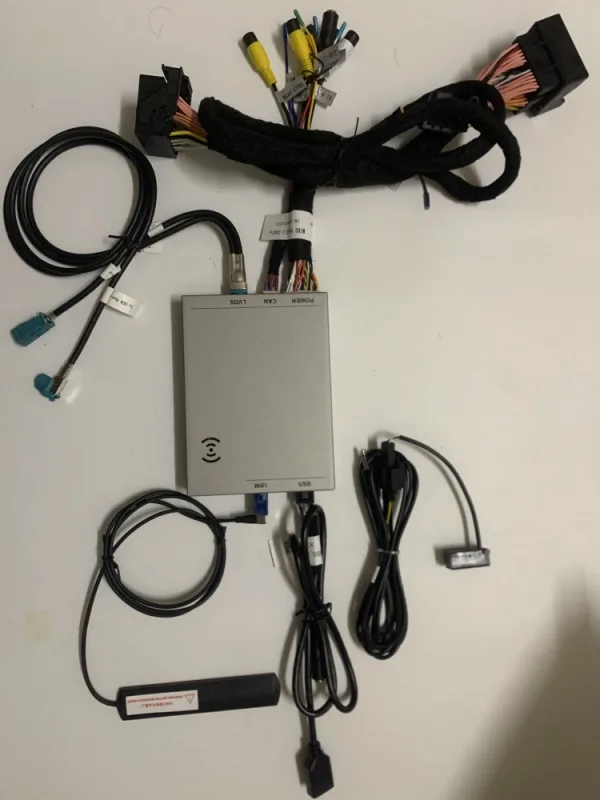
That means the module carries a 5GHz Wi-Fi dual-band radio (2.4GHz plus 5GHz), a Bluetooth radio for the discovery leg, and an access point that issues credentials only after a completed pairing. It runs Linux embedded on an automotive-grade Sunplus chipset from Taiwan, which matters here for a specific reason rather than a marketing one: the pairing handshake is a state machine, and state machines fail in firmware that has no headroom when memory runs short. A Linux embedded build without the cache pressure typical of aftermarket Android head units holds its state cleanly for the whole drive, so the second-drive resume behaves the same as the first.
Source switching is the other half. The module has to tell the factory head unit to hand the screen over, and take it back when the session ends, over whatever control path that generation of head unit exposes — a video-detect line on some models, a menu-injection path on others. This is where a per-platform harness matters more than the radio does, and it is why a kit specified only by year often pairs beautifully and then shows nothing.
Multi-driver handoff and the paired-device list
Shared vehicles expose a second failure mode that has nothing to do with radios. CarPlay allows only one active phone at a time, but a vehicle can hold several paired devices. Which one wins is decided by the vehicle's own device menu, and on a retrofit that menu has to exist and has to be reachable from the factory screen — otherwise the end user has no way to force a switch and concludes the module is faulty.
Apple's current guidance for wireless-only vehicles is explicit: hold the voice command button, confirm the stereo is in wireless pairing mode, confirm Wi-Fi is on and Auto-Join is set for the CarPlay network, then pick the car under Settings > General > CarPlay. On a shared retrofit vehicle the practical routine is to remove stale pairings after a test drive, because an entry left behind by a previous owner keeps competing for the connection and produces a car that intermittently grabs the wrong phone. Clearing the paired-device list before handover is a five-minute step that removes a disproportionate share of callbacks.
Why the pairing step is where return tickets actually start
For a distributor, defect reports arrive as narrative rather than diagnosis. The common ones map cleanly onto the stages above, which makes them cheap to triage if the report is asked for in stage terms rather than "does it work".
| Reported symptom | Likely stage | First check |
|---|---|---|
| Car never appears in the phone's CarPlay menu | Discovery | Bluetooth antenna routing, module wake on ACC |
| Vehicle appears but screen stays on the factory menu | Handoff | Wi-Fi antenna connector, source-switch path for that head unit generation |
| Connects once, will not reconnect next day | Idle / resume | Paired-device list clutter, Wi-Fi Auto-Join state on the phone |
| Freezes in multi-storey car parks | Session | 2.4GHz congestion, 5GHz coverage at the antenna position |
| Wrong phone takes over on a shared vehicle | Discovery priority | Stale pairing entries left after test drives |
| Works in the workshop, fails outside | Session | Pigtail touching metal, module mounted inside a sealed housing |
Telling a distributor to collect the stage, not just the symptom, is the cheapest quality control available. A report saying "discovery fails" routes to the harness and antenna check. A report saying "session drops" routes to RF placement. Without that distinction, every return comes back as an unqualified fault and lands on the same person.
How this differs from converting a wired system
A common source of confusion in this market is the difference between a retrofit module and a device that converts an existing wired CarPlay port into a wireless one. The two solve different problems and must not be described interchangeably.
A wired-to-wireless converter assumes the vehicle already speaks CarPlay over a USB port. It sits in that port and re-broadcasts. It cannot help a car that never had CarPlay in the first place, because there is no CarPlay-capable head unit behind it. A retrofit module works the opposite way: it reaches the factory head unit's video, control and power lines, negotiates with the phone over Bluetooth and Wi-Fi, and renders onto the original factory screen. Where a converter is a translation of an existing link, a retrofit module is the link. Buyers who conflate the two will specify the wrong kit and blame the supplier for a compatibility gap that was never real.
What a first order looks like
Coverage across the range is expressed as 300+ vehicle models and series, year coverage running from 2006 to 2025, with the factory screen, head unit, steering wheel controls and reversing camera all left in place. Stock is supplied from 10 pcs, mixed models allowed per order. Private label runs 500 pcs per model, and Full OEM firmware customisation starts at 1000 pcs per model.
Samples take 7–15 days by DHL or FedEx. Volume production of 500+ units runs 15–20 days. Quotations come back inside 12 hours. Payment terms are 30% deposit with the remaining 70% against a copy of the bill of lading, by T/T or PayPal. Sample charges are credited against the first large-volume order, so an evaluation unit is not a sunk cost when the programme moves forward.
For anyone qualifying this product before placing a first order, the pairing behaviour above is the part worth asking about in detail — and the vehicle coverage list is the fastest way to confirm whether a target model is in scope at all.
Frequently asked questions
Does the phone have to stay connected by cable at all?
No. Once the Bluetooth discovery and Wi-Fi handoff complete, the phone stays in a pocket or a bag for the rest of the drive. A cable is useful for a first pairing on vehicles that support both wired and wireless, because the wired connection can complete pairing once and the vehicle then offers to reconnect wirelessly on later drives.
Will CarPlay work without an internet connection?
Yes. The vehicle creates a local wireless link that exists only between the phone and the car. Navigation, music and app data continue to arrive over the phone's own cellular connection, so no separate data plan or hotspot is needed in the vehicle.
Can two iPhones be connected at the same time?
No. CarPlay runs one active phone at a time, on every compatible vehicle. Several phones can be paired, and the vehicle's own device menu decides which one takes the session. Clearing unused entries from that list before handover avoids most of the confusion.
Why does a module that pairs once fail to reconnect the next day?
Usually the Wi-Fi side of the phone has not auto-joined the vehicle network, or the paired-device list has accumulated stale entries that compete for the connection. Both are setup conditions rather than hardware faults, and both are checked before the vehicle is released.
Does a phone call still use Bluetooth audio?
No. During an active wireless CarPlay session, call audio is carried over Wi-Fi along with everything else, which is one of the reasons the session link needs the throughput that a Bluetooth-class connection cannot supply.
Can the factory screen and original controls stay in place?
Yes. That is the point of this product category. The factory screen, the original head unit, the steering wheel buttons and the factory reversing camera all remain in service; the module adds the wireless CarPlay link without replacing any of them.
Check the vehicle coverage list for the specific head unit generation, or review the wholesale terms before requesting samples. Sample requests are answered within 12 hours, and sample charges are credited against the first large-volume order.
Need the Module From This Guide?
Wholesale from 10 pcs (mixed models OK), samples in 7–15 days (DHL/FedEx express). Fitment confirmation within 12 hours.
Request Pricing Check FitmentRelated Resources
- CarPlay Collections — browse by marque family (German, British, Italian, Japanese, luxury)
- CarPlay Fitment Checker — find the module for your car
- CarPlay Decoder FAQ — 34 answers on compatibility, install and wholesale
- CarPlay Retrofit Buying Guide — platform identification & selection
- Wholesale, Private Label & OEM Program — MOQ, lead times, payment terms
- All installation & technical guides